





NCE-native since 2021
Commitment terms, cancellation windows and renewal scheduling, all built in. Seat decreases are allowed only inside the window, with a live countdown.
Provisioning, seat changes, upgrades, and NCE renewals across every customer from one screen, always inside Microsoft's rules.

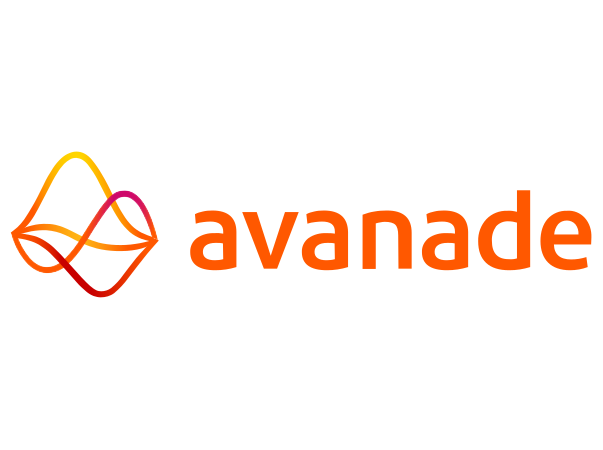



Commitment terms, cancellation windows and renewal scheduling, all built in. Seat decreases are allowed only inside the window, with a live countdown.
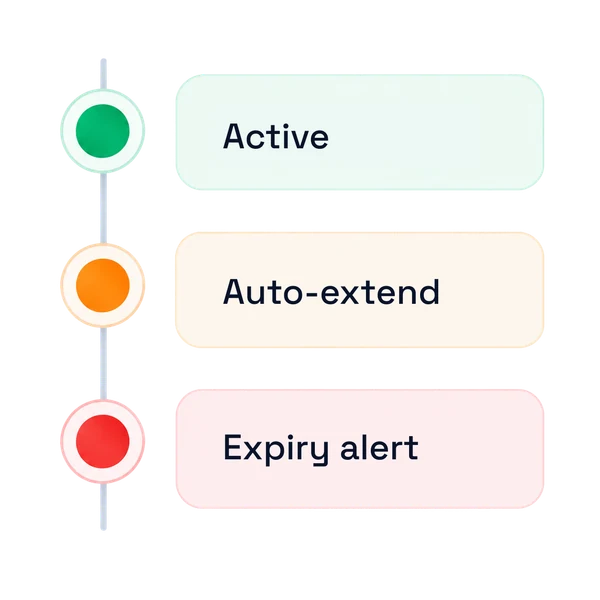
Relationship status tracking, auto-extend controls and scheduled expiry alerts. Assign security groups and Microsoft Entra roles, then export the full list to CSV.
Renewal behavior set per subscription under Microsoft's 2026 End-of-Term policy. Choose Renew to New Term, Renew to EST, or Cancel at Expiration.
Monthly NCE pricing imports automatically, so plans never drift from Microsoft. A dedicated Price Lists view lets you search, filter and export current offer pricing.
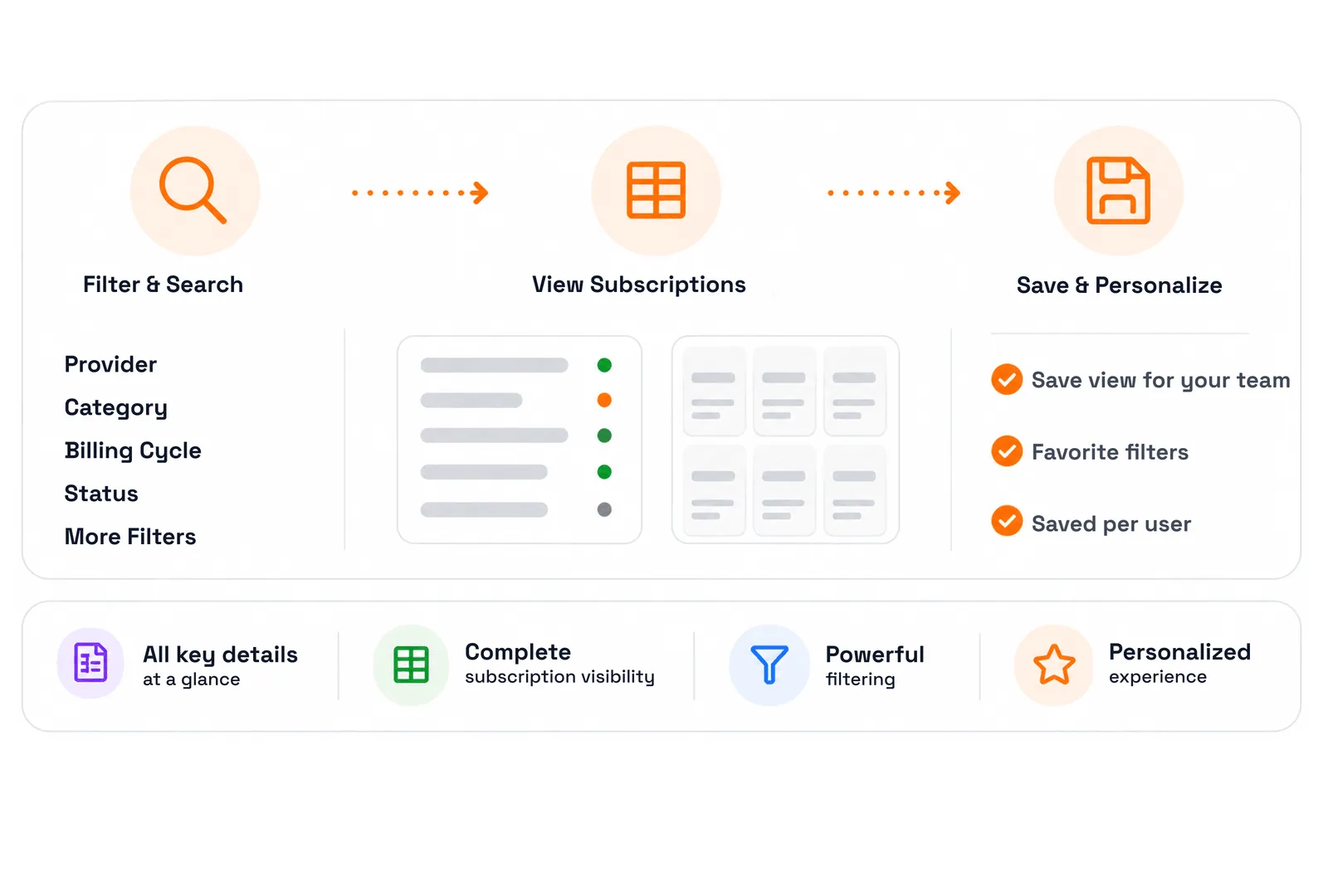
Switch between a dense list and a tile grid across your whole customer base, and keep the view your team works in rather than resetting it each visit.
Provider, category, billing cycle, consumption type, term duration and status — active, suspended, in provision, failed, expired, disabled or deleted.
Find any subscription by product name, product ID or SKU across every customer, without needing to know which tenant or plan it sits under.
Quantity, unit price, current cost, order date, renewal or expiry date, tenant, market and the NCE or EST tag.
Saved views and favorite filters are personalized per user.
Update quantities on a parent offer or any of its add-ons, with the billing impact prorated automatically.
Switch billing frequency on an existing subscription instead of re-creating it.
Eligibility is checked before the change is submitted, so an upgrade doesn't fail downstream.
Suspend or cancel straight from the manage screen — no second system, no re-keying.
Every change provisions back to Microsoft and flows straight into billing.
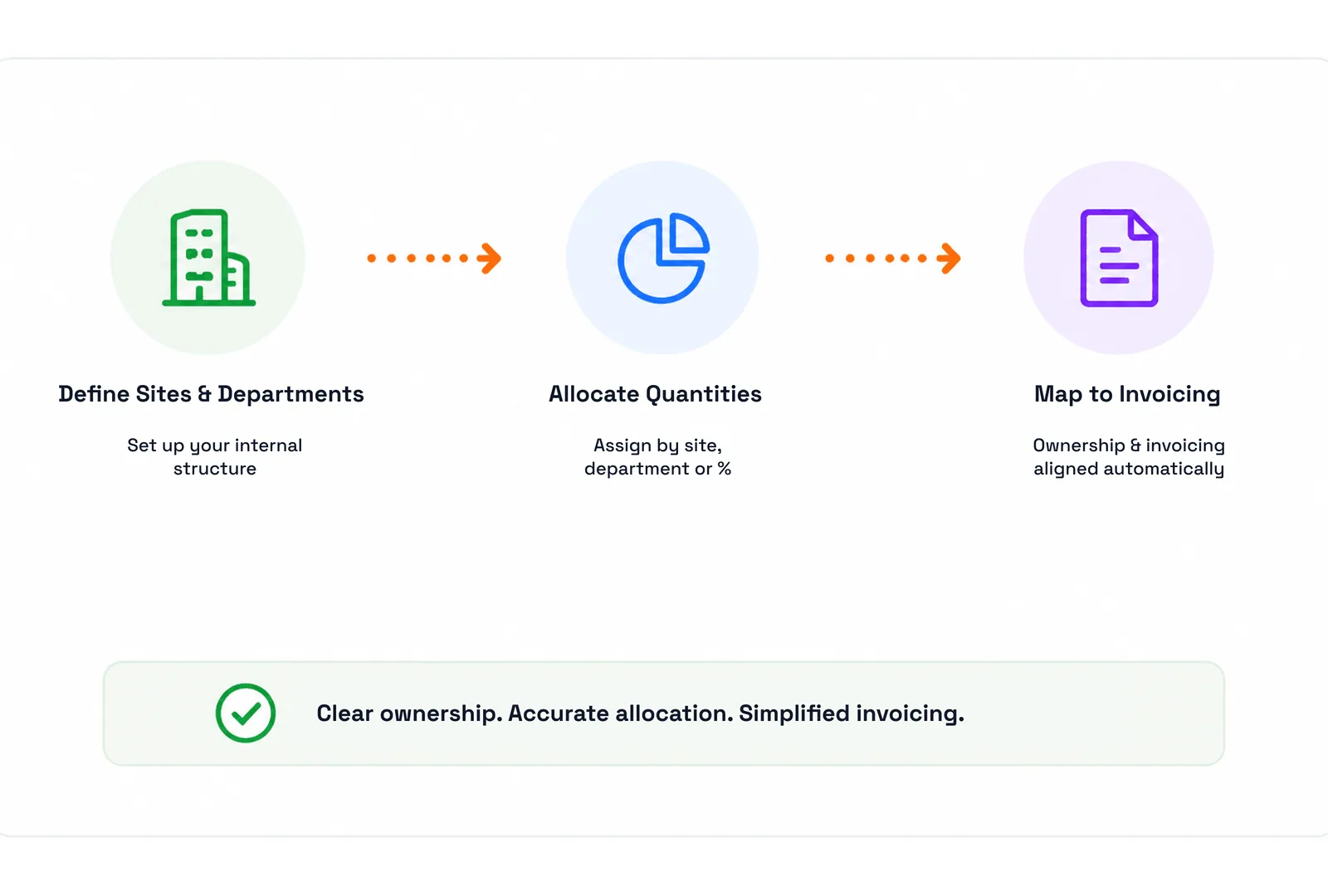
Split subscription quantities across the customer's sites so each location owns its own licensing.
Assign seats to departments so ownership and invoicing match how the customer is organized internally.
Azure Plan consumption charges divide by percentage across the sites and departments you define.
Allocation carries through to billing, so every site and department sees its own charges.
Illustrative split: HQ · Operations 45%, Hamburg site · Sales 30%, Field · Support 25%.
The New Commerce Experience and Extended Service Terms are the two biggest operational risks in the current CSP program. C3 turns both into controlled workflows.
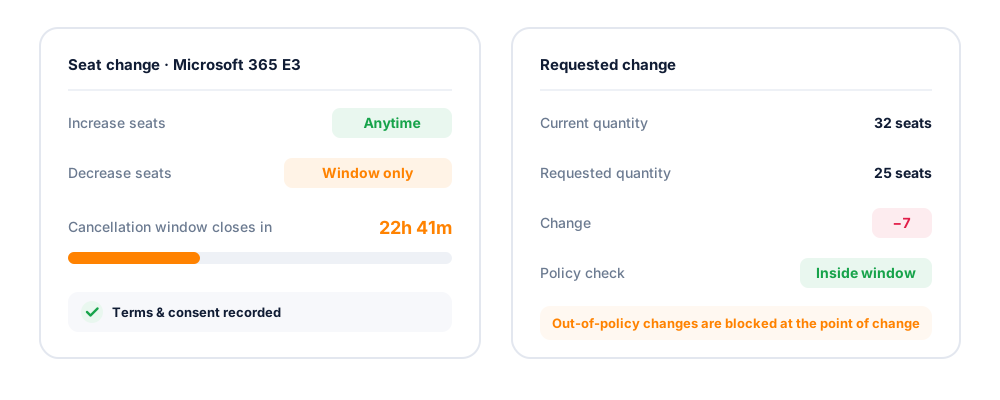
Increase seats anytime. Decreases are allowed only within the NCE cancellation window, with a countdown showing remaining time. Terms and consent are recorded to prevent out-of-policy changes.
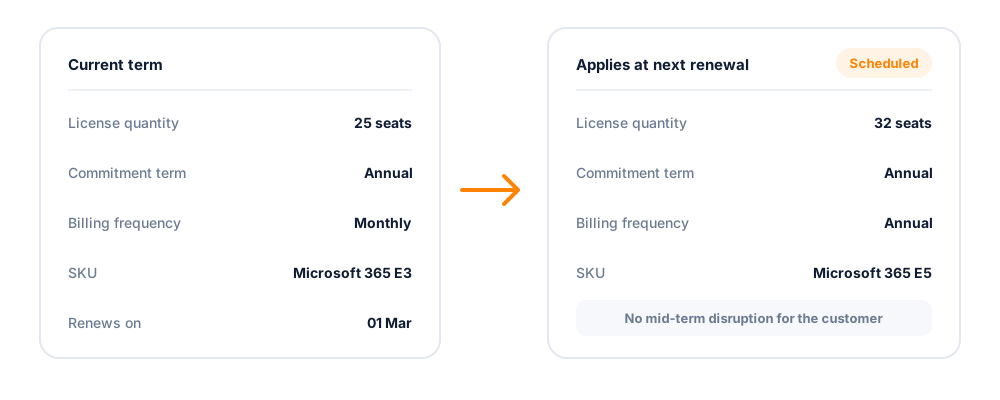
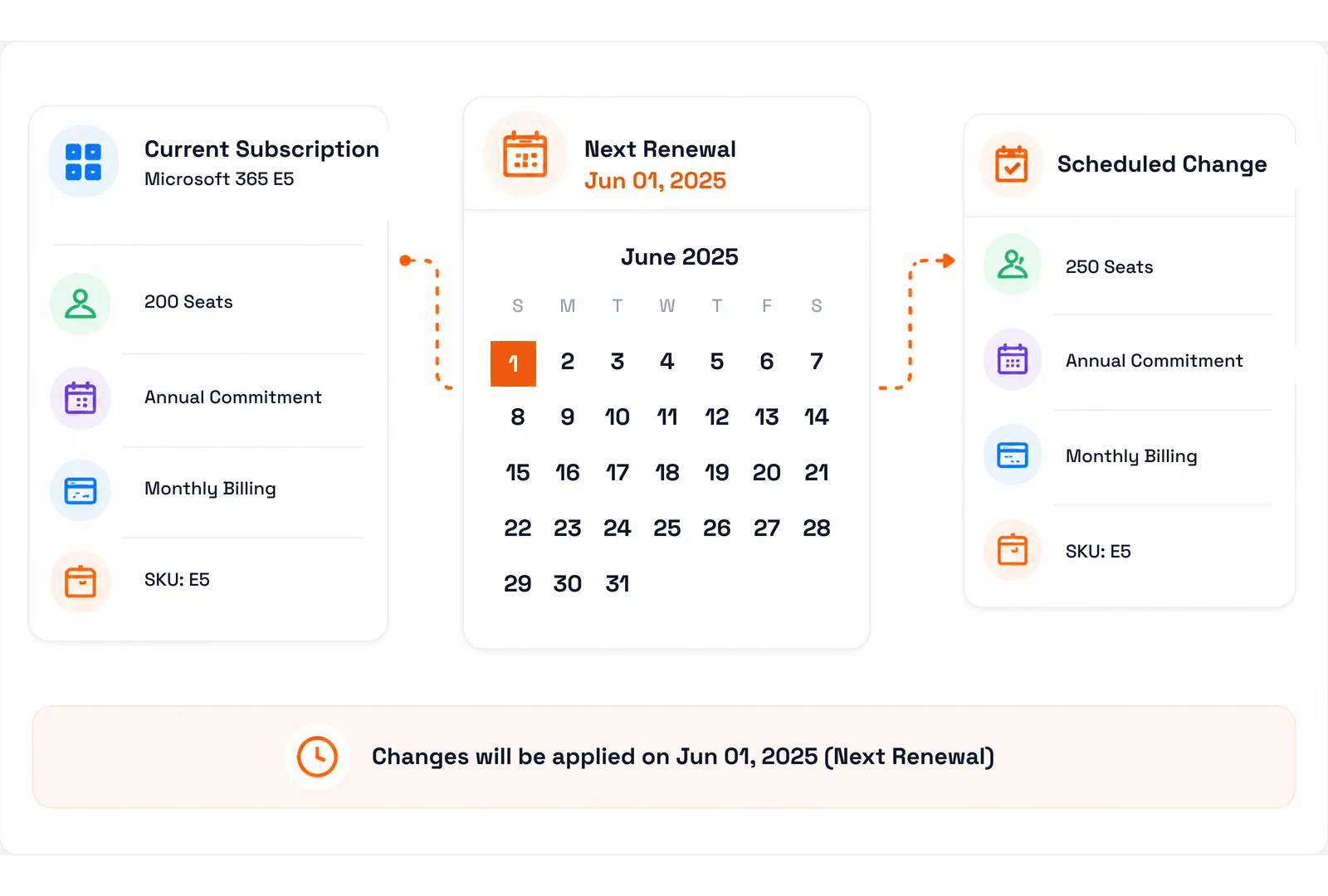
Schedule changes for the next renewal instead of applying them immediately. Update license quantity, commitment term, billing frequency, or SKU, with a clear indicator for scheduled subscriptions.
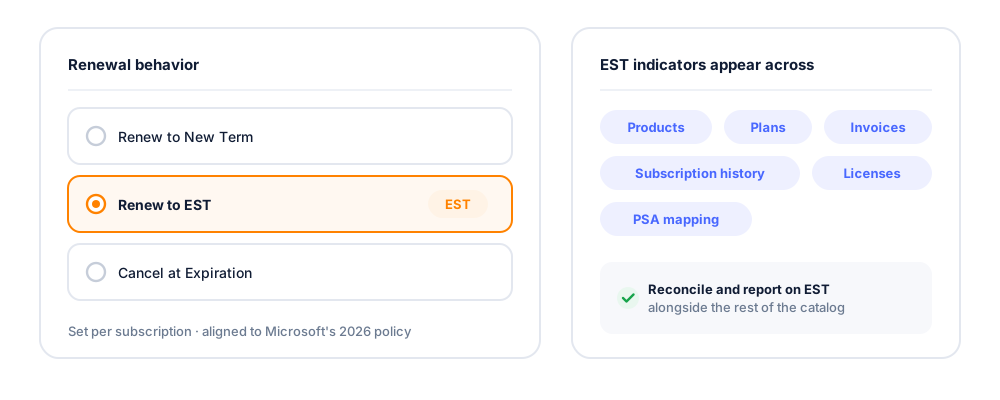
Set renewal behavior per subscription: Renew to New Term, Renew to EST, or Cancel at Expiration. EST indicators appear across products, plans, invoices, subscription history, license summaries, and PSA mapping.
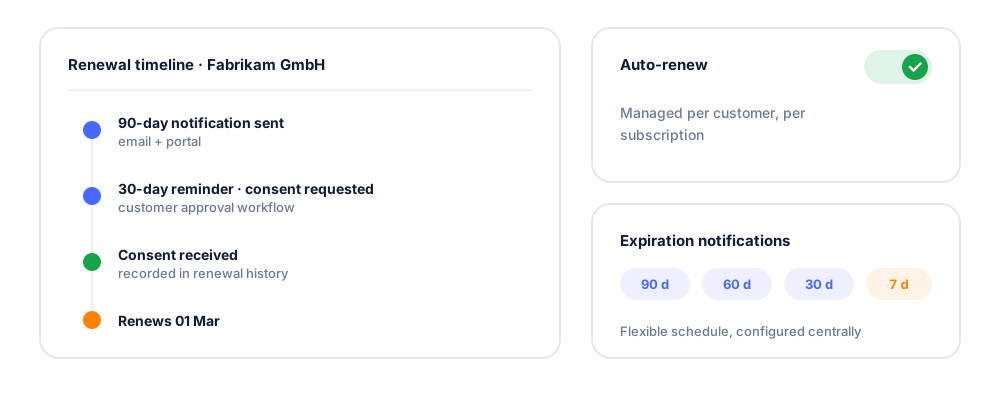
Track renewal dates centrally, configure flexible expiration notifications, manage customer auto-renew, and automate consent-based renewal workflows with reminders and complete renewal history.
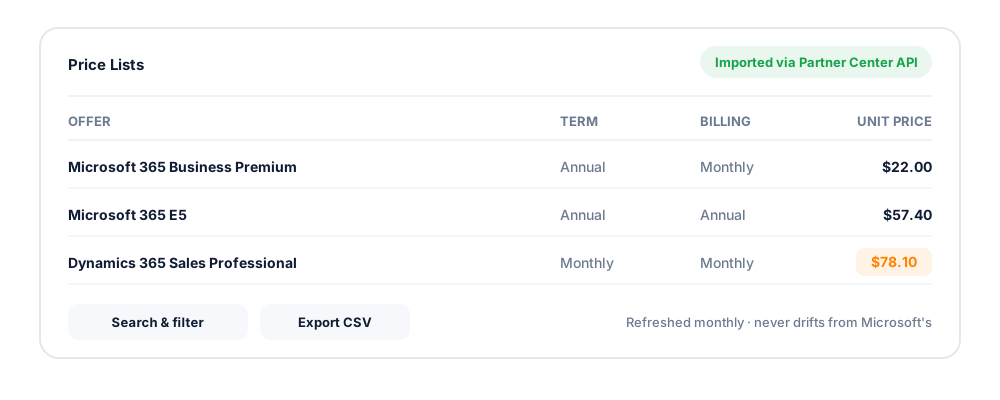
Monthly NCE pricing imports through Partner Center APIs, and a dedicated Price Lists view lets you search, filter and export current offer pricing, so your catalog and plans never drift from Microsoft's.
Day to day
The Microsoft rules are the easy part to state and the hard part to live with. This is the everyday work — locating a subscription, making a change, seeing what is scheduled, and keeping the invoice aligned with who actually uses what.
Filter the estate by provider, category, billing cycle and status, then narrow further as needed. A view that took effort to build is worth keeping, so filters can be favorited, saved per user and shared with the team rather than rebuilt every time someone opens the console.
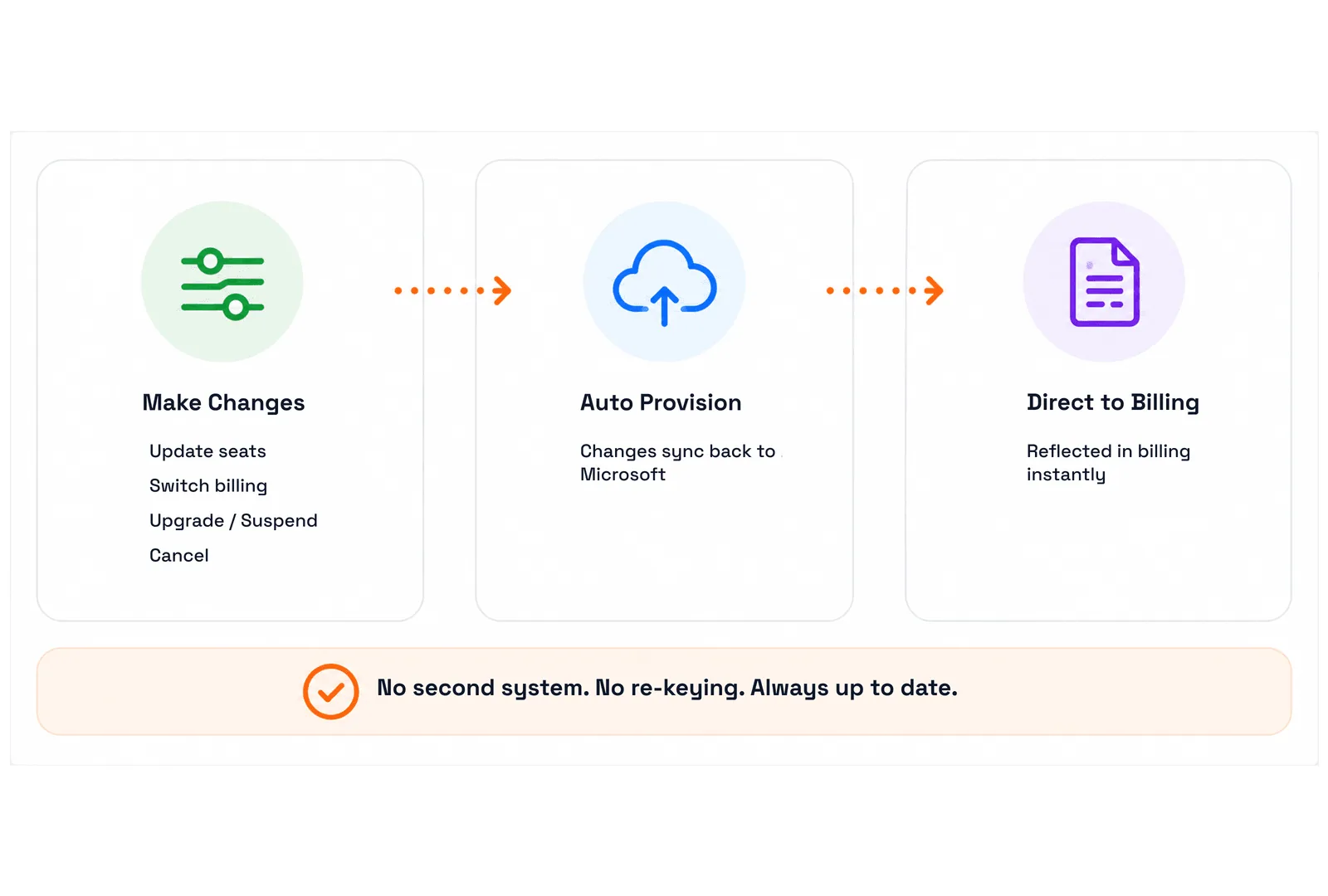
Update seats, switch billing, upgrade, suspend or cancel from one screen. The change syncs back to Microsoft automatically and is reflected in billing instantly, so there is no second system to update and nothing to re-key between the provisioning tool and the invoice.
A subscription shows its current state and its pending one side by side: today's seat count, commitment and billing against the change already queued for the next renewal date. Nobody has to remember that a seat increase was agreed in March and lands on June 1.
Define your internal structure once, assign quantities by site, department or percentage, and let ownership carry through to invoicing. Allocation stops being a spreadsheet exercise at month end and becomes a property of the subscription itself.
Microsoft compliance
Four obligations that used to live in someone's calendar, now tracked with status the whole team can see.
Every admin relationship on one dashboard — active, expiring, expired — with auto-extend, roles and scheduled alerts.
Captured before agreement creation, with links you send, track and manage from the customer profile.
POR and MPN validation through Microsoft's API, so incentive eligibility is confirmed rather than assumed.
Fine-grained permissions for finance, sales, support, resellers and customers, with expired access surfaced.

Outcomes
Operational control, protected recurring revenue, and time back for the operations team.
| Subscription changes | Manual process | With CSP Control Center |
|---|---|---|
| Seat change | Partner Center trip per request | Self-service or one-screen change, auto-provisioned |
| NCE cancellation window | Tracked by memory or spreadsheet | On-screen countdown, enforced at the point of change |
| Renewal changes | Actioned mid-term, disrupting the customer | Scheduled to apply at the next term |
| Policy & compliance | Manual process | With CSP Control Center |
|---|---|---|
| EST policy | Manual review per subscription | Renewal policy set and indicated platform-wide |
| GDAP expiry | Discovered when access breaks | Dashboard status plus scheduled alerts |
| Pricing updates | Manual offer-sheet imports | Monthly NCE pricing imported via API |
Manual process Every seat change is a Partner Center trip, the NCE cancellation window lives in someone's head, and GDAP expiry is discovered when a customer's access breaks. Renewals are actioned mid-term, EST is reviewed subscription by subscription, and pricing drifts until the next offer sheet is imported by hand. | CSP Control Center Changes are made once and provisioned back to Microsoft, with NCE rules enforced at the point of change and a countdown on the cancellation window. Renewals are scheduled rather than forced mid-term, EST behavior is set per subscription and indicated platform-wide, GDAP status sits on a dashboard with alerts, and NCE pricing imports monthly. |

Operations Manager
Your day back
Routine change requests stop consuming your team. Bulk tenant and entitlement creation, automated provisioning and self-service move the volume off your desk.

CSP Business Owner
Recurring revenue protected
Renewals are captured rather than missed, and compliance risk stops depending on one person's knowledge.

Finance & Billing Manager
Invoices that match reality
Every lifecycle change flows into billing correctly prorated, so the invoice matches what the customer actually holds.
Yes. CSP Control Center has supported NCE since its introduction and provides dedicated management for commitment terms, billing frequency, renewal scheduling and SKU upgrades. It enforces NCE rules, including the limited window for seat decreases, with an on-screen cancellation countdown.
Extended Service Terms is a Microsoft renewal policy that changes end-of-term behavior for eligible NCE subscriptions. CSP Control Center supports it across the lifecycle: set renewal to New Term, EST or Cancel at Expiration; see EST indicators across catalog, plans, invoices and reports; and reconcile and report on EST subscriptions alongside the rest.
Yes. Renewal scheduling lets you change license quantity, commitment term, billing frequency and SKU so the change applies at the next renewal rather than mid-term. Scheduled subscriptions carry a visible indicator.
CSP Control Center provides a relationship status dashboard filtered by active, expiring and expired, admin relationship creation, security group and Microsoft Entra role management, auto-extend controls, scheduled expiration notifications and CSV export.
Microsoft 365, Azure and Azure Plan, Dynamics 365, Power Platform, security products, software subscriptions and perpetual software, alongside your own partner offers and third-party products.
Monthly NCE pricing imports automatically through Microsoft Partner Center APIs, and the Price Lists view lets you verify and export current pricing at any time.
Yes, within limits you define. Customers can add seats, upgrade and manage renewals from the self-service marketplace and portal, gated by approval workflows and seat or transaction limits.
Yes. Existing subscriptions onboard through manual or automatic sync, including expired subscriptions, and reconciliation resolves term, billing cycle, auto-renew and SKU mismatches against Partner Center.
Automate billing, simplify subscription management, and deliver exceptional customer experiences with a platform built exclusively for Microsoft CSP partners.