





Daily consumption sync
Azure usage is processed daily and rolled into the right billing cycle automatically. Each customer's spend breaks down by resource group, service and tag.
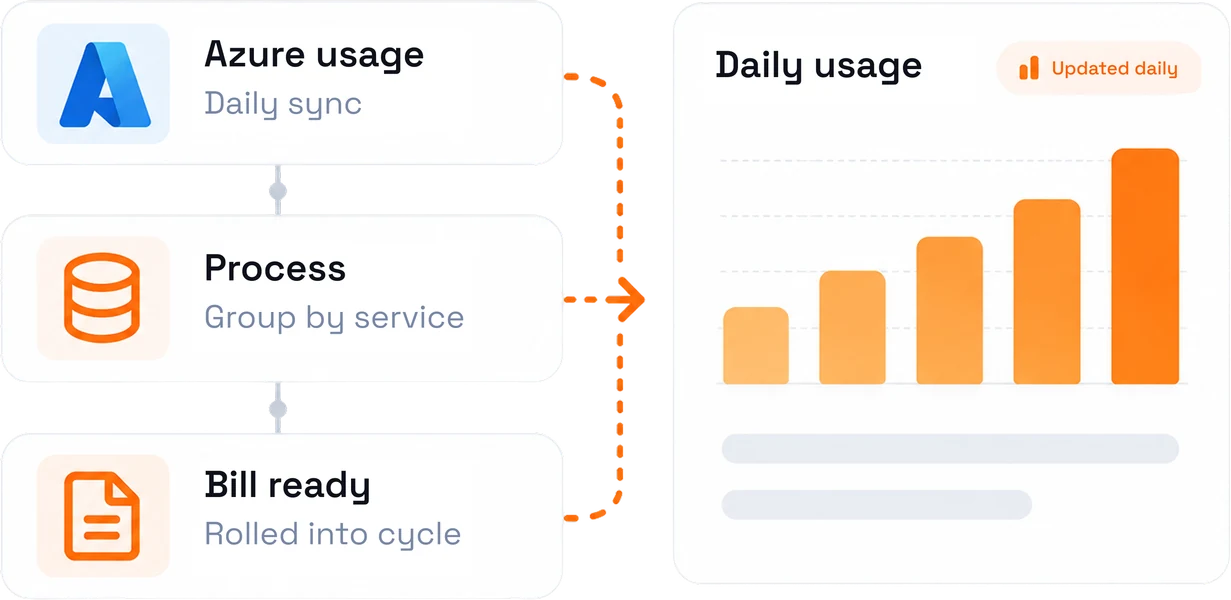
Reconcile raw Azure consumption into accurate, marked-up invoices, with daily cost visibility down to the resource group, service, and tag.


Azure usage is processed daily and rolled into the right billing cycle automatically. Each customer's spend breaks down by resource group, service and tag.
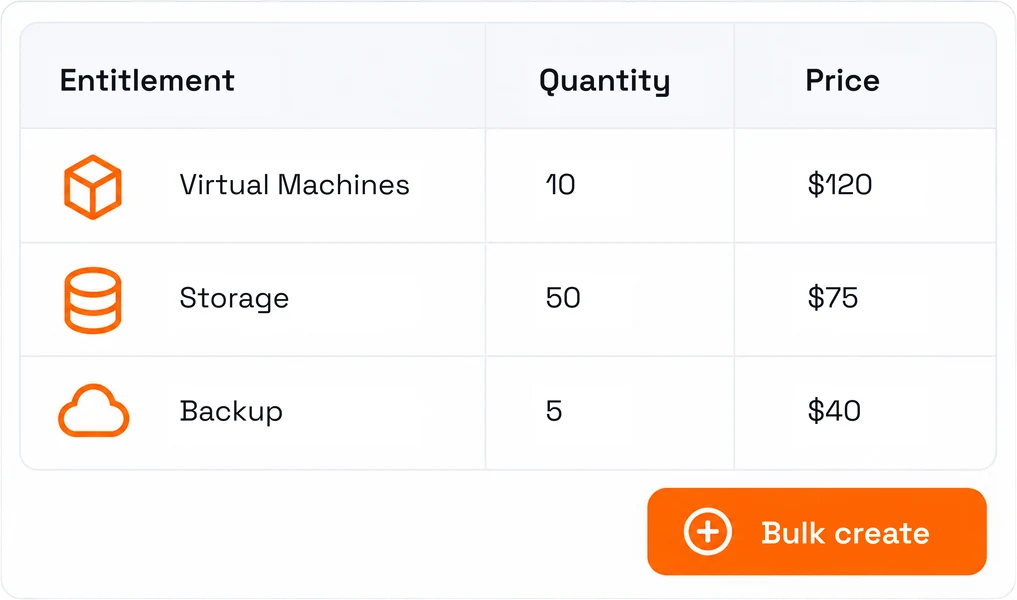
Set pricing, generate invoices and audit every change down to each entitlement. Bulk-create entitlements from a naming format and a quantity that you define.
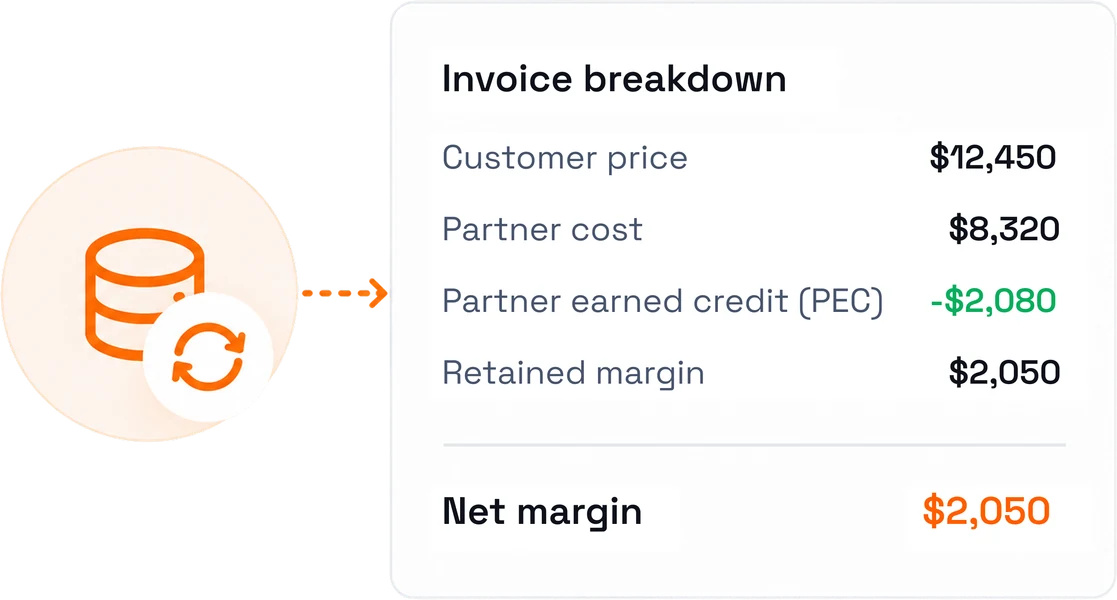
Partner Earned Credit is reconciled against partner cost rather than estimated. Customer price, partner cost, PEC and retained margin sit on every invoice, every cycle.
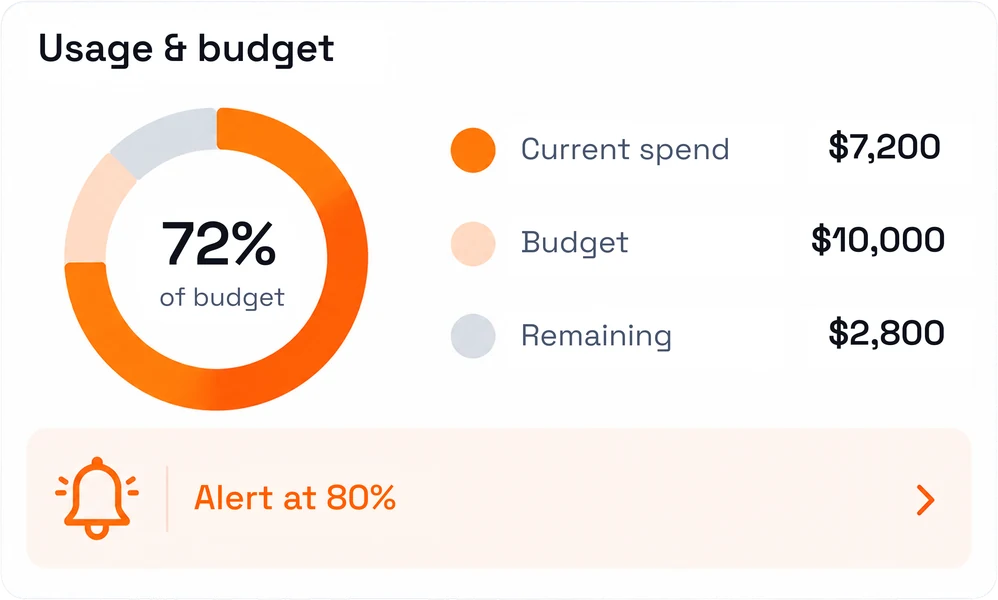
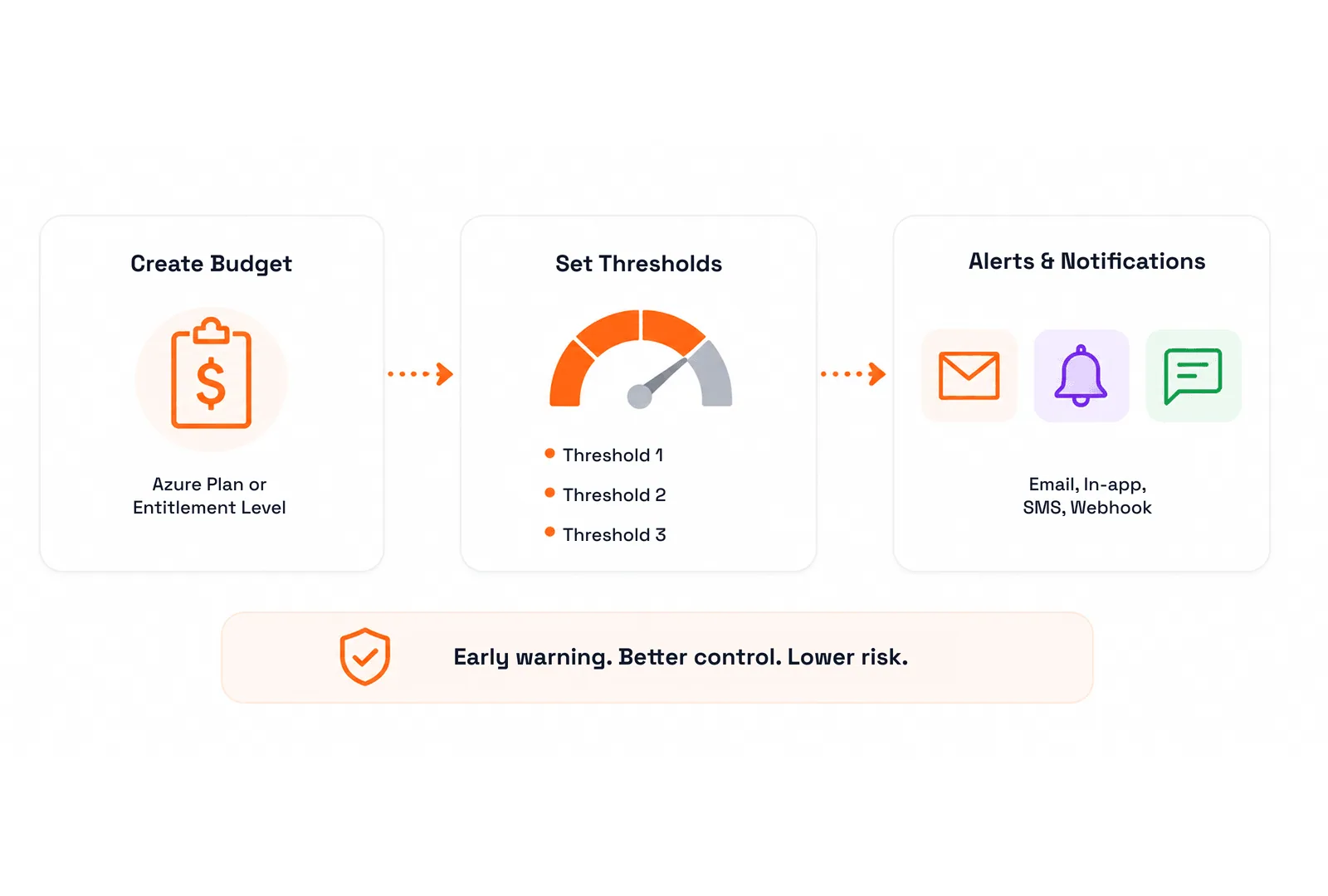
Extend Azure estimates, usage reports and budget alerts to customers directly. Budgets at Azure Plan or entitlement level fire alerts before spend reaches an invoice.
Four values decide whether an Azure account is profitable. C3 makes all four visible on every invoice, every cycle.
Customer price
$11,940
What you bill, with your markup rule applied
Partner cost
$9,950
What Microsoft bills you for consumption this cycle
Partner Earned Credit
$1,493
Reconciled against partner cost, not estimated
Retained margin
$3,483
What you actually keep, on every account
Illustrative figures. In C3 these are your real numbers, recalculated daily and shown per customer, per subscription and per entitlement.
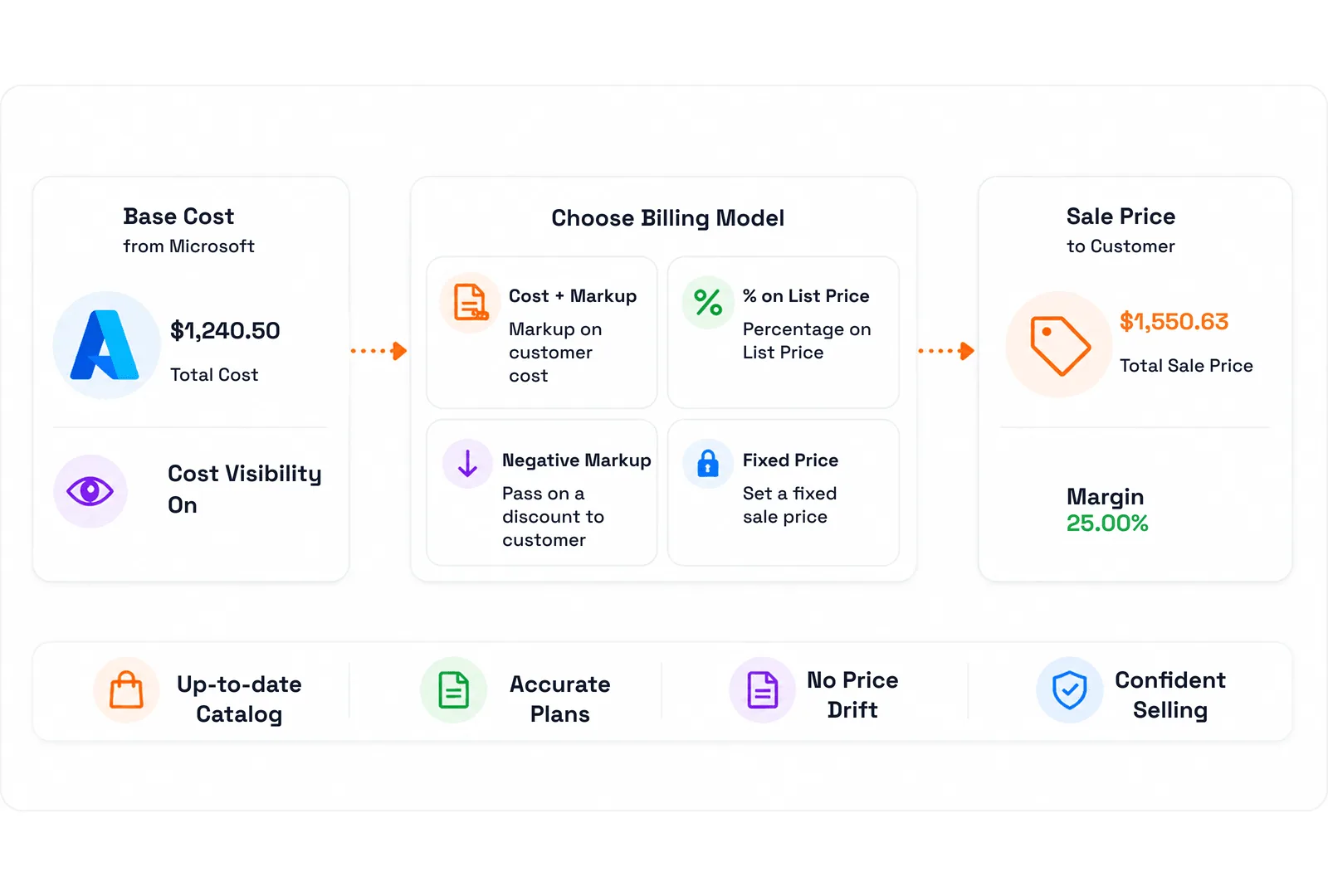
Choose how Azure is priced for each customer or plan, and keep sale price and underlying cost visible side by side.
Apply a markup using customer cost as the base, so your margin is explicit and controllable.
Price Azure Plans as a percentage of Microsoft's list price instead of a cost-plus markup.
Set a negative markup where you intend to pass a discount on to the customer.
Whatever the model, the sale price and the underlying cost stay visible side by side.
Illustrative markups: +18% on customer cost, 95% on list price, −5% passed on.
Change entitlement pricing, reset it back to plan defaults, and export the current state.
Create entitlements in bulk from a naming format and a quantity.
Every pricing change is logged, so you can show exactly what changed and when.
Invoice at entitlement granularity where the customer's internal cost allocation requires it.
Illustrative entitlements: Prod +15%, Dev +10%, Shared Services at list price.
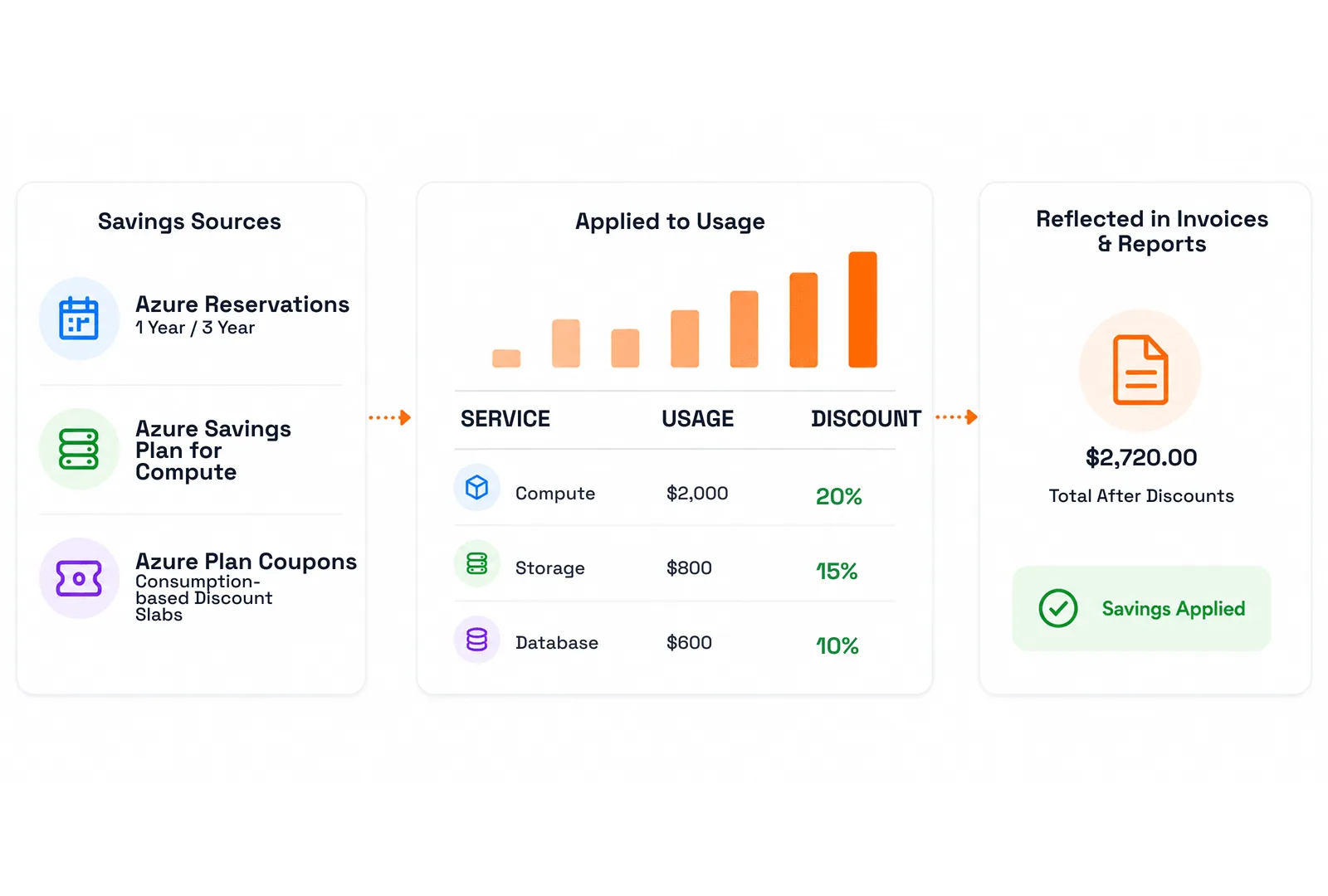
Reservation costs and savings are reflected accurately in invoices and usage reports.
Committed-spend discounts align to billing, so they reach the right customer on time.
Azure Plan coupons support tiered promotions that reward higher usage.
Tiered promotions calculate themselves instead of being worked out by hand each cycle.
Illustrative figures: Reservations −$412.00, Savings Plan −$268.40, consumption slab −3%.
Daily breakdowns your finance team can reconcile and your customers can read for themselves.
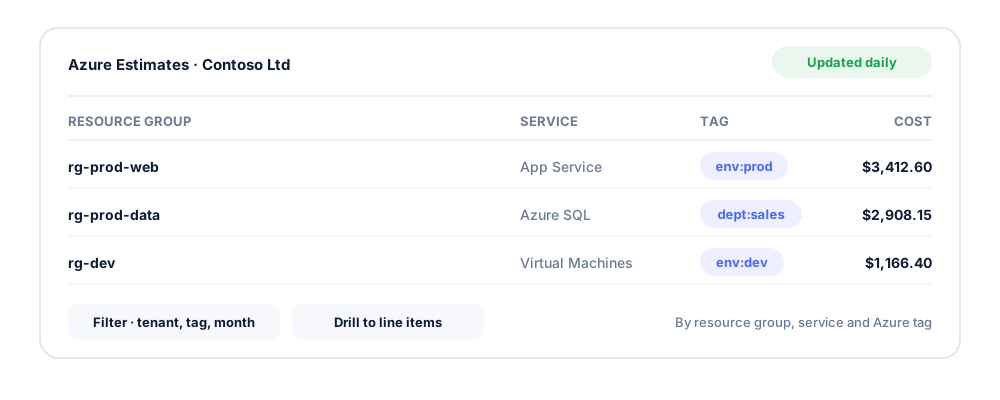
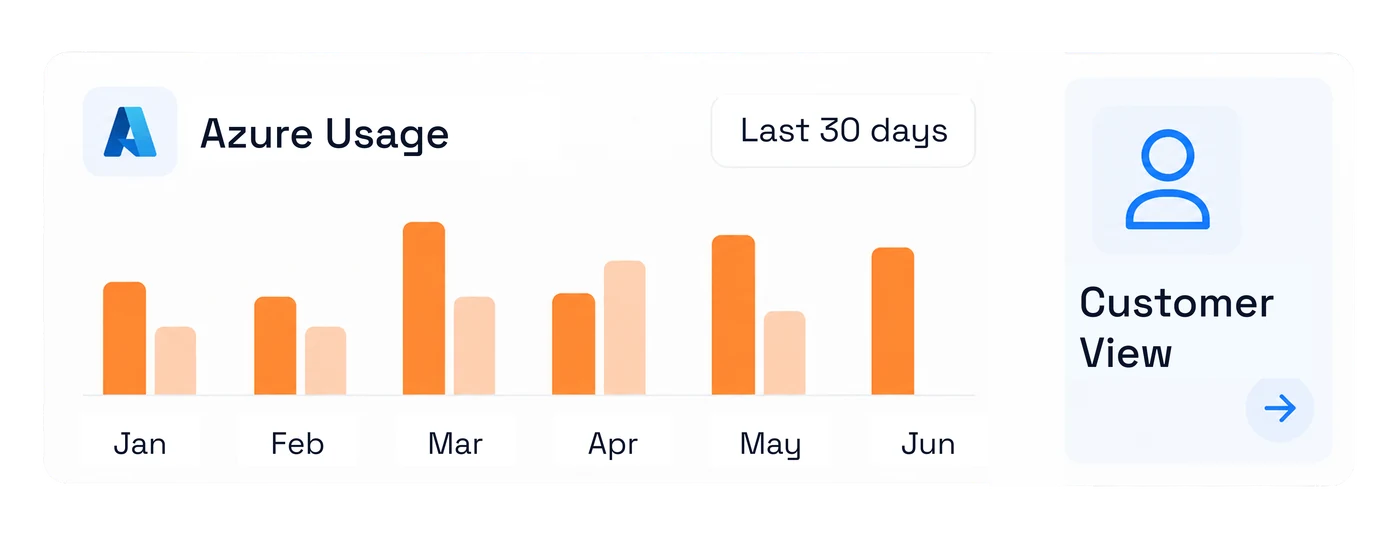
Azure Estimates break each customer's consumption down by resource group, service and Azure tag, updated daily with associated costs. Filter by customer, tenant, tag, group, subscription and month, and drill from a resource-group summary down to individual line items.
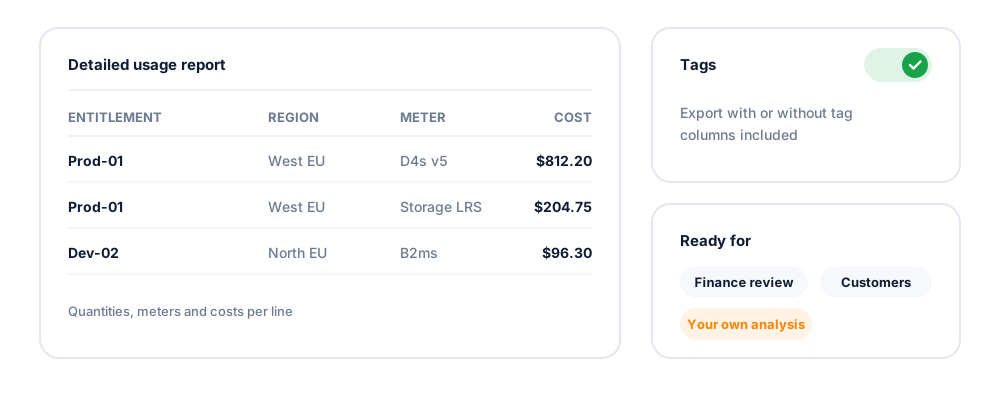
Export a detailed usage report with or without tags, covering entitlements, regions, meters, quantities and costs, ready for finance review, customer conversation, or upload into your own analysis.
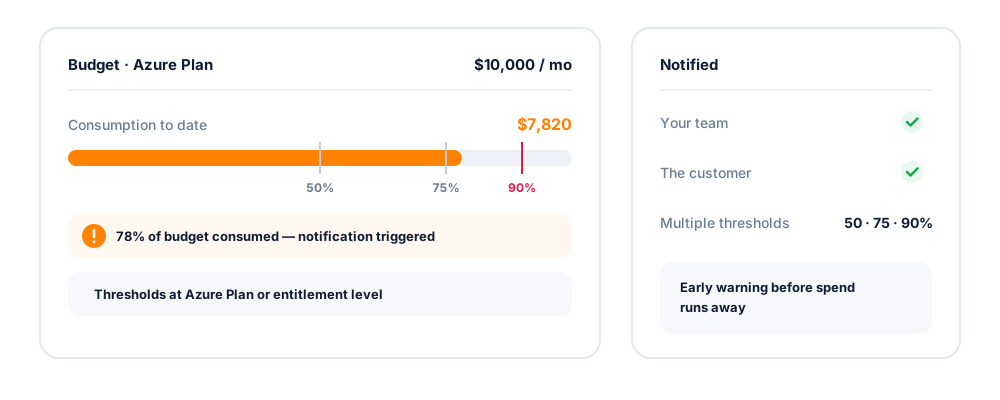
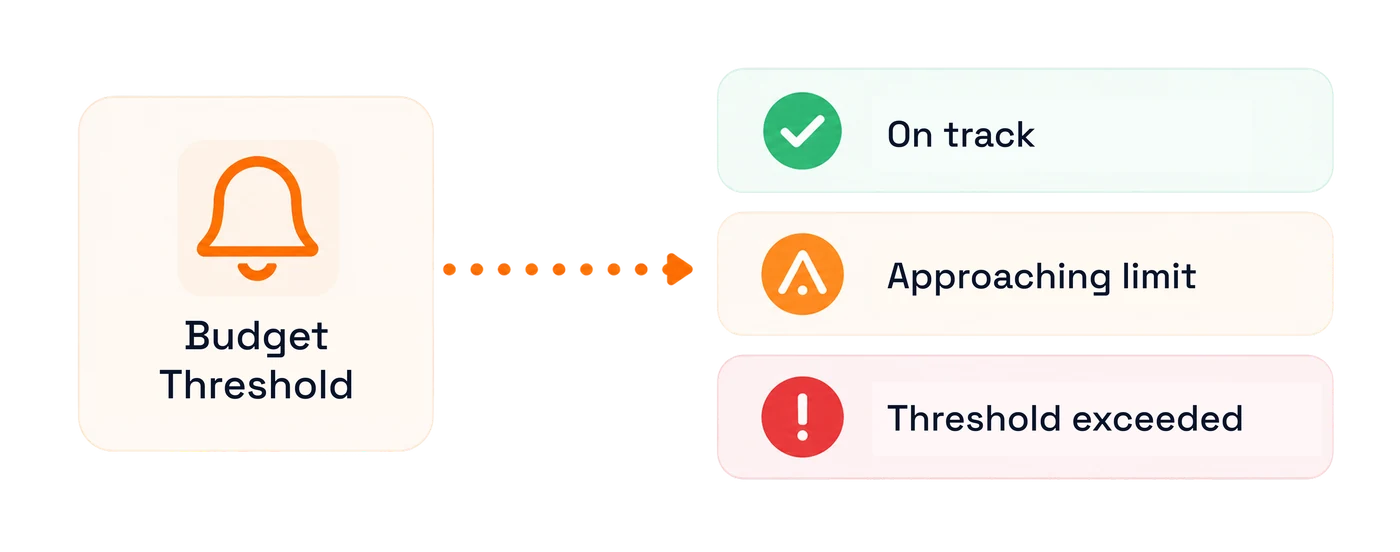
Create budgets at the Azure Plan or entitlement level with multiple thresholds, and trigger notifications when consumption crosses them. Customers get early warning before spend runs away; you get control over your own cost exposure.
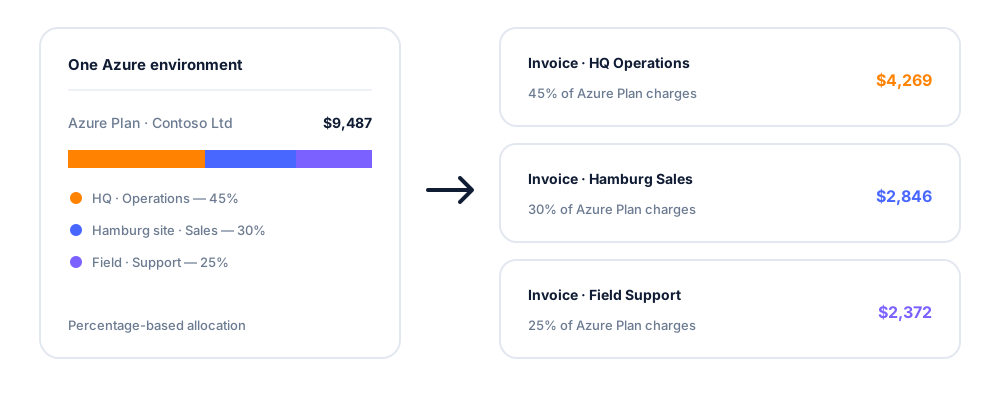
Allocate Azure Plan and entitlement charges across a customer's sites and departments using percentage-based allocation, so one Azure environment bills the way the customer's internal cost centres are structured.
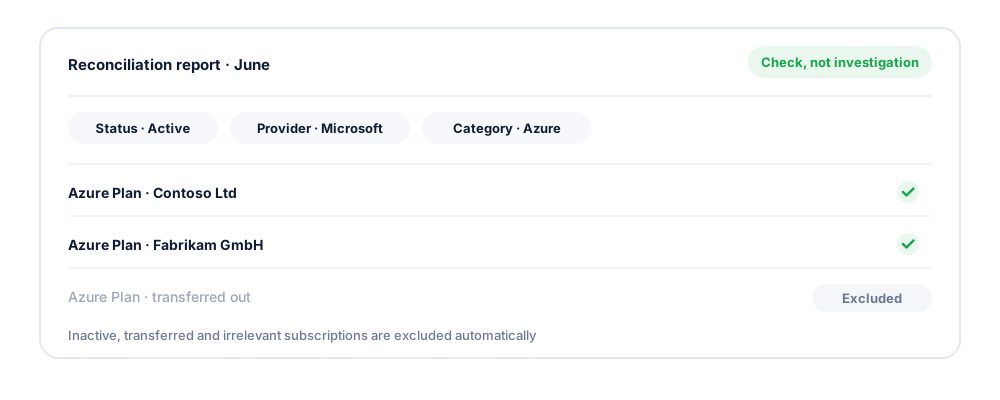
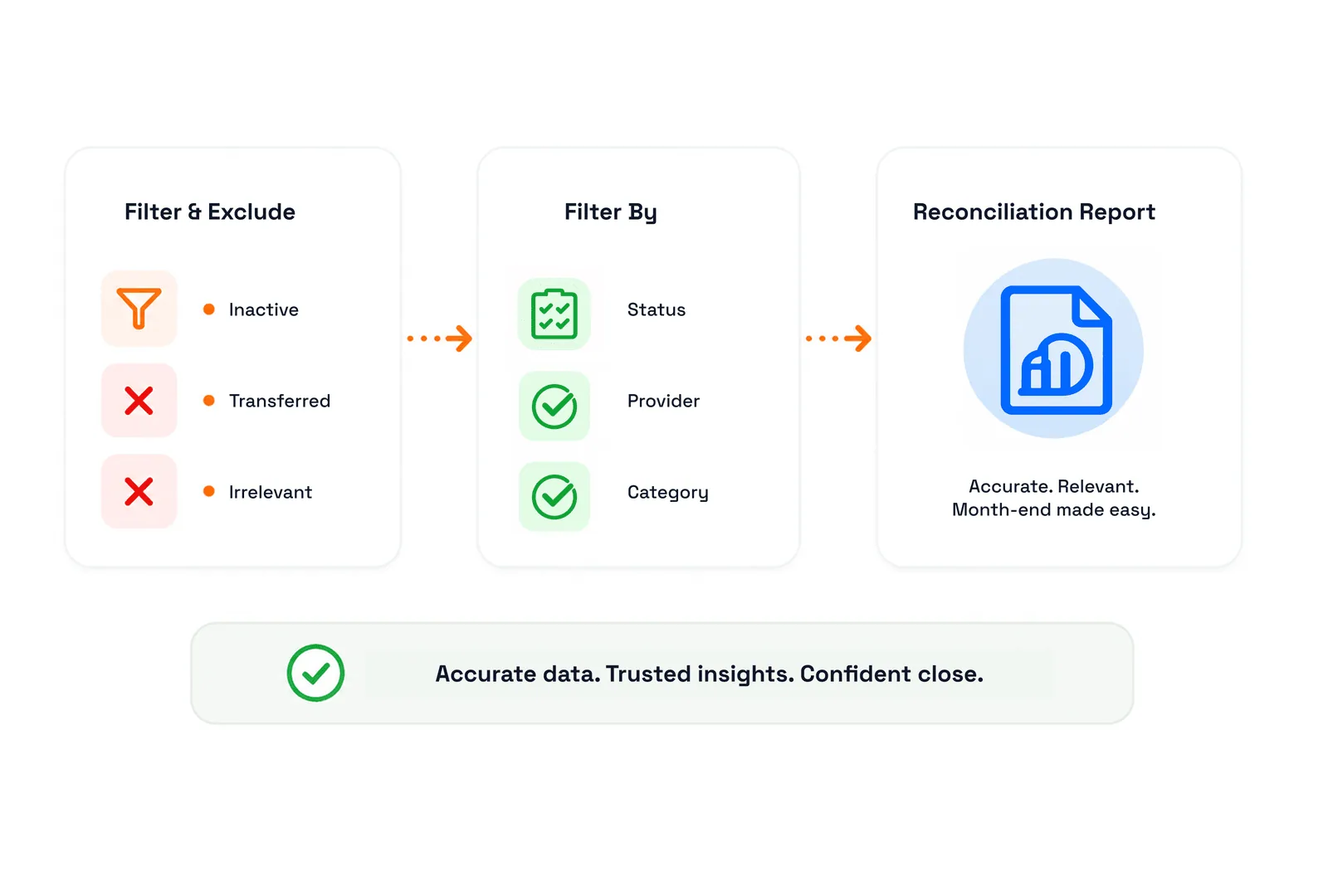
Reconciliation reports exclude inactive, transferred and irrelevant Azure subscriptions and filter by status, provider and category, so month-end review is a check, not an investigation.
Extend Azure usage and estimates to customers so they track their own consumption, which measurably reduces billing questions to your team.
Thresholds that notify the customer directly, turning cost management into a service you deliver rather than a complaint you field.
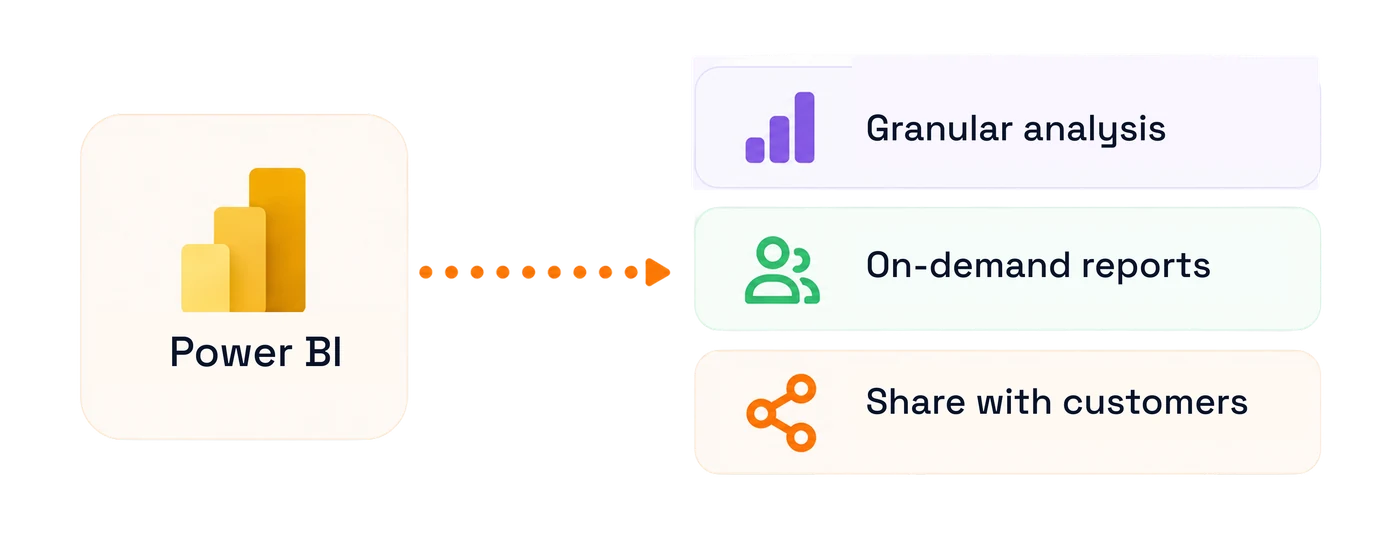
Enable C3's Power BI-based Azure usage report for granular, on-demand analysis, and extend it to selected customers.
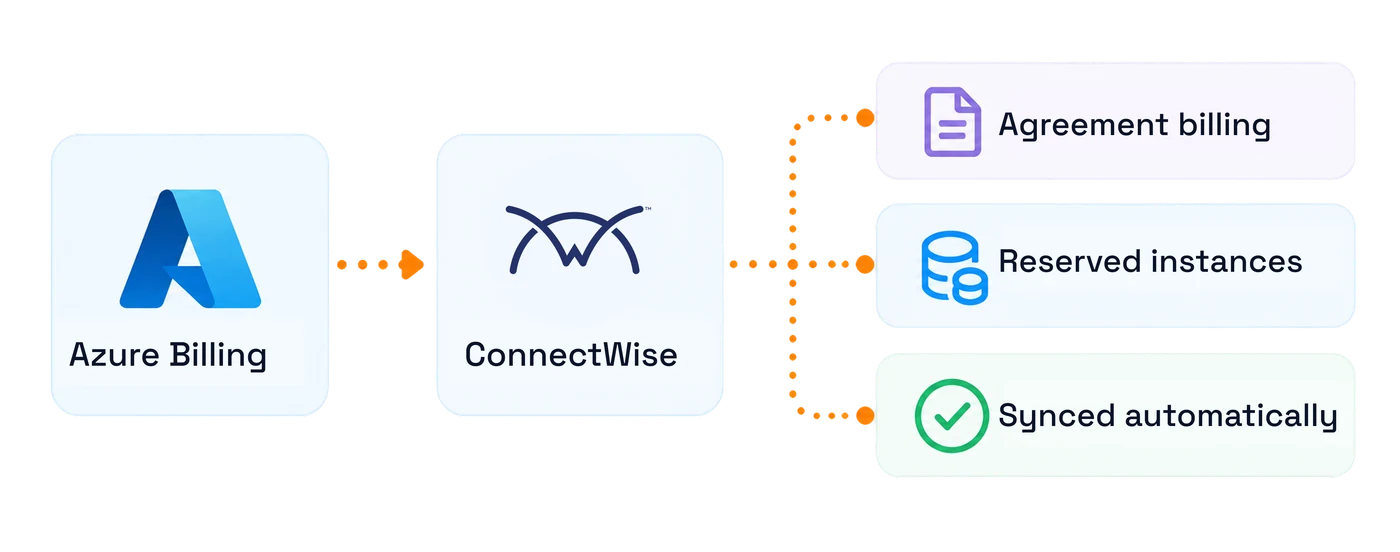
Usage-based Azure billing pushes into ConnectWise alongside your other agreement billing, including reserved instances.
The margin chain
Azure margin is made in four places: how you price it, what savings you apply, how early you catch overspend, and how cleanly it reconciles at month end. Each one is a step you control.
Start from the Microsoft cost and pick the billing model that fits the customer: cost plus markup, a percentage on list price, a negative markup that passes a discount through, or a fixed sale price. The margin is visible while you set it, not discovered afterwards.
Azure reservations, savings plans for compute and consumption-based coupon slabs are applied against actual usage per service, then carried into the invoice and the report. The customer sees the discounted number and you keep the benefit you negotiated.
Set a budget at Azure plan or entitlement level, give it up to three thresholds, and route the alerts where people will actually see them. The point is early warning: a threshold crossed on day nine is a conversation, the same overspend found at month end is a write-off.
Exclude the rows that should not count — inactive, transferred, irrelevant — then filter what remains by status, provider and category to produce the reconciliation report. Month end becomes a check rather than an investigation.
Outcomes
A faster close, measurable margin on your fastest-growing revenue line, and fewer cost conversations in your inbox.
| Cost & margin | Manual process | With CSP Control Center |
|---|---|---|
| Usage reconciliation | Monthly Partner Center export and spreadsheet | Daily automated sync into the billing cycle |
| Markup | Applied per customer by hand | Applied by rule, on the correct cost base |
| Partner Earned Credit | Estimated or overlooked | Reconciled against partner cost |
| Visibility & questions | Manual process | With CSP Control Center |
|---|---|---|
| Cost breakdown | One aggregate Azure line | Resource group, service, meter and tag |
| Spend surprises | Discovered on the invoice | Budget thresholds trigger alerts in advance |
| Customer questions | Handled by your team | Answered in the customer's own portal |
Manual process A monthly Partner Center export reconciled in a spreadsheet, markup applied customer by customer, Partner Earned Credit estimated rather than proven, and a single aggregate Azure line on the invoice that neither your team nor your customer can break down. | CSP Control Center Azure consumption synced daily and rolled into the billing cycle, markup applied by rule on the reconciled cost base with PEC accounted for, and every charge broken out by resource group, service, meter and tag — in your invoice and in the customer's own portal. |

Finance & Billing Manager
Azure stops delaying the close
Reconciliation is automated, exports are audit-ready, and every charge traces back to a meter.

CSP Business Owner
Margin you can measure
Margin on your fastest-growing revenue line becomes measurable and controllable, including the PEC you were previously estimating.

Operations Manager
Cost conversations move out of your inbox
Budget alerts and customer-facing reports put Azure spend questions in the customer's portal instead of your support queue.
With C3 as our CSP management platform, we've been able to grow and expand our cloud business efficiently.
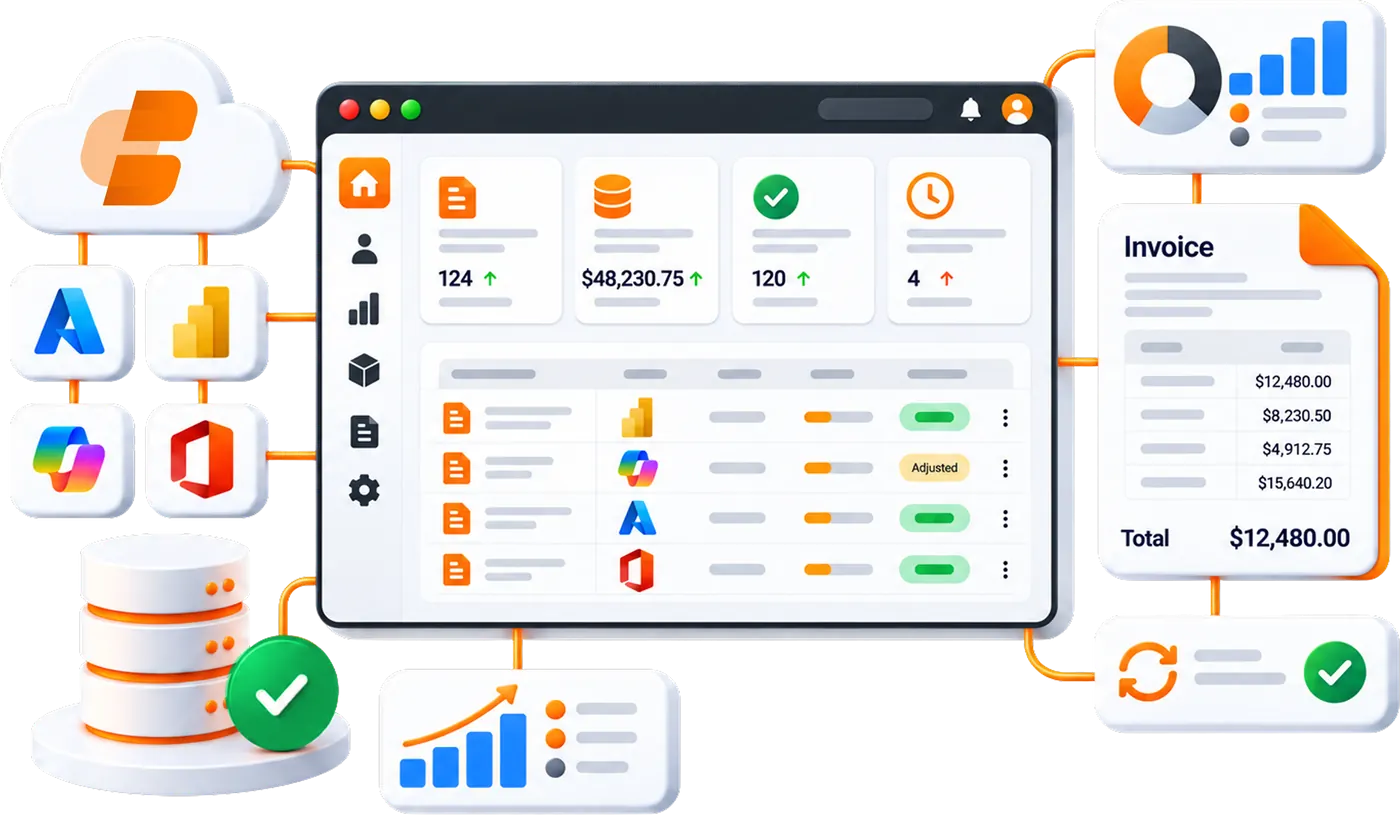
CSP Control Center ingests Azure consumption daily from Partner Center, attributes it by resource group, service, meter and tag, applies your pricing rule with Partner Earned Credit reconciled, and rolls the result into the billing cycle as itemized, marked-up invoice line items, with no manual spreadsheet step.
Yes. Azure Estimates show consumption by resource group, service and Azure tag, updated daily, with filtering by customer, tenant, subscription, group and month, and drill-down to individual line items and entitlements.
Yes. CSP Control Center has extensive Azure Plan support, uses customer cost as the markup base, and reconciles partner cost against customer price with PEC accounted for.
Yes. Apply a percentage markup on customer cost, use a Percentage on List Price billing type, or configure pricing at the individual entitlement level, with edit, reset, export and audit capability on entitlement pricing.
Yes. Define budgets at the Azure Plan or entitlement level with multiple thresholds that trigger notifications when consumption crosses them, for your team and for the customer.
Azure reservations and Azure Savings Plan for Compute are reflected in invoices and usage reports with savings calculations aligned to billing, so committed-spend discounts are billed accurately.
Yes. Azure Plan and entitlement charges can be allocated across sites and departments using percentage-based allocation, producing split invoices that match internal cost centres.
Yes. Extend Azure usage reports, estimates and the Power BI usage report to customers through their portal for self-service cost visibility.
Automate billing, simplify subscription management, and deliver exceptional customer experiences with a platform built exclusively for Microsoft CSP partners.