



TL;DR
A Microsoft Cloud Solution Provider (CSP) controls Azure cost overruns with four things such as daily consumption monitoring, a realistic per-customer budget, progressive spending alerts, and a documented escalation and overage-responsibility path. Budgets alone do not stop spend, Microsoft states that when a budget threshold is exceeded, “resources aren’t affected, and your consumption isn’t stopped.” Every threshold therefore needs an owner and an action.
The practical operating model is simple:
Monitor → Guardrail → Alert → Escalate → Act → Attribute → Bill
The aim is not to eliminate every overage, since some may be expected and approved by the customer. What matters is making sure additional spend is visible, actively managed, and recoverable from the customer.
Key Takeaways
- Azure consumption can move faster than the monthly billing cycle, creating financial exposure for CSPs.
- Budgets should act as operating guardrails, not just reporting numbers.
- A single alert at 100% comes too late; progressive thresholds create time to investigate and intervene.
- Every alert level should have a clear owner and a predefined next action.
- Granular consumption data is essential for identifying what caused an overrun and who owns it.
- Overage responsibility should be agreed with the customer before the budget is breached.
- Cost control is incomplete until validated consumption is correctly priced, reconciled, and billed.
Why Azure cost overruns are particularly risky for CSPs
Azure’s flexibility is one of its biggest strengths, but it also makes monthly consumption harder to predict than fixed-license products. Customers can scale compute, add workloads, expand storage, deploy new resources, or leave temporary environments running. Production workloads may also scale automatically, while data-intensive services can see sudden spikes in demand. Even a relatively small configuration change can have a noticeable impact on costs by the end of the billing period. This growing Azure consumption volatility can also make it harder to forecast costs and protect margins as customer workloads become more dynamic.
This is a broader cloud challenge, not an isolated issue. Capgemini Research Institute found that 76% of organizations exceeded their public cloud budgets, with an average overrun of 10%.
If you were simply managing Azure for your own organization, your first question might be: What did we spend, and why?
As a Microsoft CSP, you have several additional questions: Which customer consumed it? Which subscription or workload drove the increase? Was the usage within the agreed commercial model? Who owns the excess? And can you recover the cost accurately?
Microsoft bills you through the CSP relationship, while you bill customers based on your own commercial terms. In some situations, CSP partners can also remain financially responsible for customer purchases, fraudulent consumption, or nonpayment.
That means an unexpected increase in Azure usage can quickly move beyond a technical issue and affect margins, customer billing, collections, or even lead to a write-off.
As your Azure portfolio grows, even a $500 billing discrepancy that seems manageable for one customer can become a much larger risk. Across dozens or hundreds of customers, even small gaps in monitoring, attribution, or billing can have a meaningful impact on gross margin.
For a Microsoft CSP, an Azure cost overrun is not just a cloud cost issue. It can directly affect margins and customer billing.
Why discovering the overrun at month-end is already too late
Traditional billing is retrospective, showing you what has already happened. Azure cost control, however, needs to happen while the consumption is taking place. If the first time you notice an Azure overrun is during month-end reconciliation or when the customer invoice is being prepared, it is already too late to prevent or limit that additional spend. The workloads have run, the consumption has occurred, and the Microsoft charge has already been incurred.
That means the focus needs to shift from simply reconciling Azure spend at the end of the month to tracking how that spend is developing throughout the billing cycle. What should you monitor?
At a minimum, you need visibility across:
- customer
- subscription
- daily consumption
- Azure service
- resource group
- tags such as project, department, or environment
- meaningful changes in consumption patterns
Granularity also matters because a top-line spend figure tells you that something has changed, but not what caused it.
“Azure spend has reached $12,000” is a useful warning. But if you can see that the increase comes from a specific production subscription, analytics workload, or resource group, and that consumption has accelerated over the last seven days, your team has something concrete to investigate.
That makes it easier to ask the right questions. Did the customer launch a new workload? Did compute scale unexpectedly? Was a temporary environment left running? Or is the increase simply consistent with normal business growth?
You also need to account for the fact that Azure cost data is not always available in real time. There can be a delay between when consumption occurs and when it appears in cost management and billing data, which makes early thresholds even more important.
Waiting until a customer has technically reached 100% of budget leaves very little room to respond. Earlier alerts give you time to investigate the increase, speak with the customer, and decide what action is needed before the additional spend turns into a billing issue.
How do you set a realistic Azure spending guardrail for each customer?
A budget should not be set simply because the number looks reasonable. It should reflect the customer’s typical Azure usage, expected changes in consumption, and the level of financial exposure you are willing to accept.
A useful way to set the budget is to build it around expected usage:
Expected baseline consumption + planned variable usage + approved tolerance = operating budget
For example:
- Expected recurring usage: $8,000
- Planned additional workload: $1,000
- Approved tolerance: $1,000
- Monthly operating budget: $10,000
If you set every budget too tightly, normal fluctuations will generate constant alerts, and customers will start ignoring them. If you set the threshold too loosely, you may discover meaningful overruns only after substantial additional spend has already occurred. The right guardrail therefore depends on the customer and workload.
| Customer profile | Guardrail approach |
|---|---|
| Predictable production workload | Tighter monthly budget |
| Highly variable workload | Wider tolerance around expected spend |
| New Azure customer | Conservative initial threshold until you establish a usage baseline |
| Dev/test-heavy account | Closer monitoring |
| Large customer with multiple workloads | More granular subscription-level controls |
| Higher financial-risk customer | Lower exposure tolerance and earlier escalation |
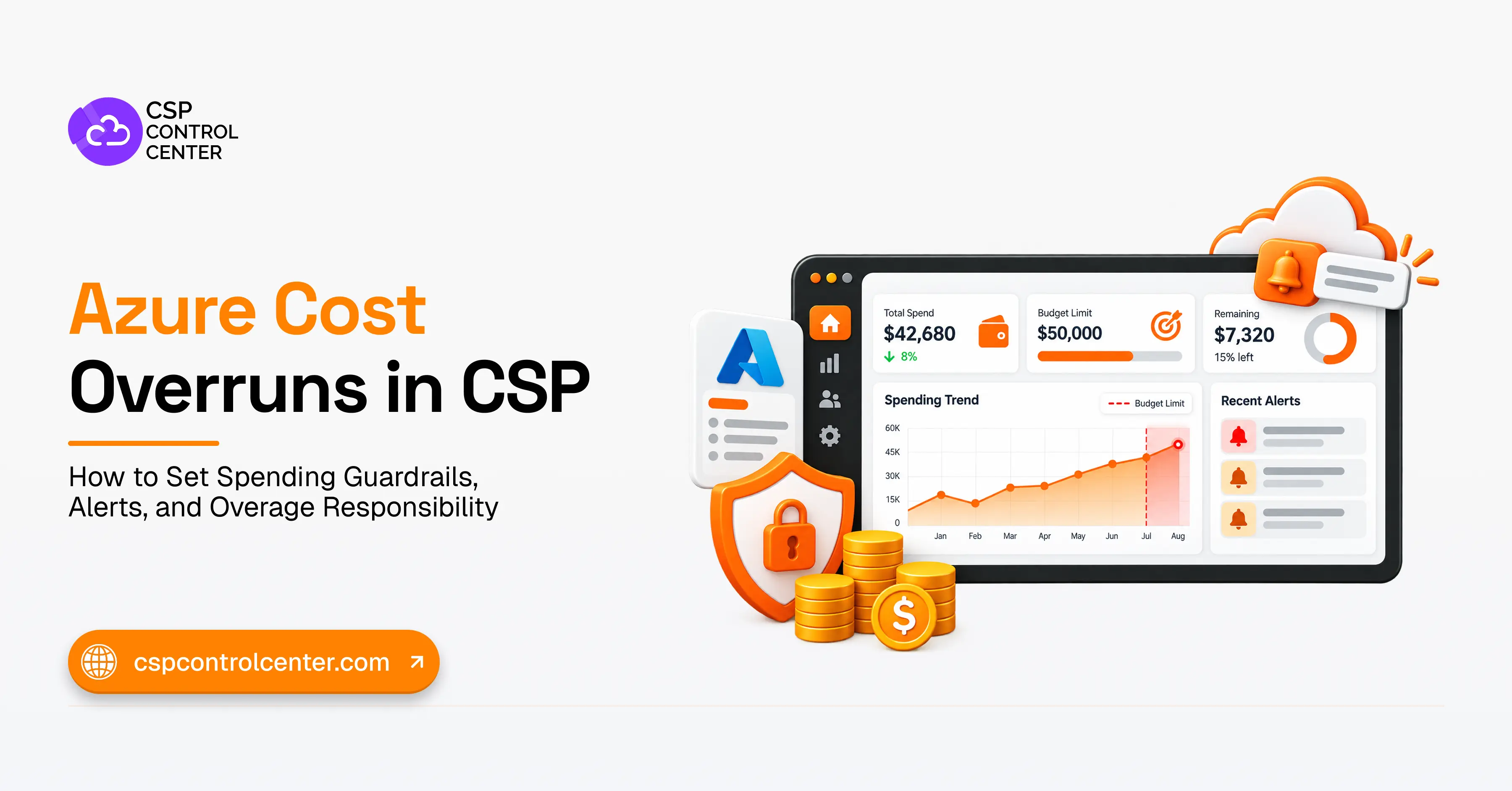
You should also distinguish between a budget and a hard spending cap. An Azure budget is mainly a monitoring and alerting tool. Reaching or exceeding it does not automatically stop the workload from continuing to consume Azure services. A budget is therefore most useful when it is linked to clear thresholds, accountability, and predefined actions.
Don’t use one alert: build a progressive threshold ladder
One of the weakest cost-control approaches is also one of the most common: setting a monthly budget, creating a single alert at 100%, and assuming that is enough.
By the time the alert is triggered, the customer has already used the full budget. And because Azure cost data can take time to appear, actual consumption may already be higher by the time your team sees the alert and responds.
A 100% alert is therefore more of a notification that the budget has already been reached than an early warning. A better approach is to use progressive thresholds, so your team has time to investigate and respond before spending reaches the limit.
Microsoft’s Azure Well-Architected Framework similarly recommends setting cost alerts as spending approaches predefined budget thresholds and reviewing those alerts as usage patterns change.
Example:
| Spend level* | Meaning | Response |
|---|---|---|
| 60% | Normal monitoring | Check run rate against time elapsed |
| 75% | Early warning | Review major cost drivers |
| 90% | Escalation point | Notify customer/account owner |
| 100% | Critical threshold | Trigger agreed overage response |
*These percentages are illustrative. You should adjust them according to customer profile, workload behavior, and financial risk.
The percentages themselves matter less than the action attached to each threshold. A customer reaching 60% of budget on day 20 may be completely normal. Reaching the same level on day five could point to a much faster rate of consumption and may need investigation. Each threshold therefore needs to be viewed in context, including how quickly spend is increasing and how much of the billing period remains.
At each level, you should know:
- Who receives the alert?
- Who investigates the cause?
- When do you contact the customer?
- Who owns the next action?
- At what point does continued consumption become a commercial decision?
The recipients of the alert can also change depending on the severity. An early informational alert may only need to go to your cloud operations or billing team. A warning may also involve the account owner, while a critical alert may need to reach finance, service delivery, the account owner, and the appropriate customer contact.
This is where alert fatigue can become a problem. If every threshold sends the same generic email to the same group of people, the alerts quickly lose their value. Each threshold should therefore have a clear escalation path and a defined response.
Define what happens when the critical threshold is reached
An alert tells you that a threshold has been reached. A guardrail goes further by defining the threshold, who is responsible for responding, and what action they should take. Those actions should be agreed before the customer reaches the critical threshold.
For non-production workloads, the response may be relatively straightforward. You may agree with the customer in advance that certain services can be suspended, restricted, or reviewed once spending reaches the critical level.
For business-critical workloads, the response needs to be more carefully managed. Automatically shutting down a production environment simply because it has crossed a spending threshold could cause far more disruption than the overrun itself.
Instead, reaching the critical threshold should trigger a clear escalation process:
- confirm whether the increased consumption is legitimate;
- identify the workload driving it;
- inform the customer of the expected financial impact;
- obtain or document the customer’s decision on continued usage;
- record who owns the additional spend;
- decide whether any intervention is appropriate under the agreed terms.
The response can also vary depending on the customer’s financial profile. For a long-standing customer with a reliable payment history, a temporary overrun caused by legitimate production growth may not require immediate intervention. For a new or higher-risk account, however, an unexplained spike in consumption may justify a much earlier review and a lower threshold for action.
You should also distinguish between expected growth and consumption that cannot be explained. A sudden or unusual increase in resource creation, for example, may point to a security issue and require investigation rather than a standard commercial response.
When an overrun occurs, trace where the money went
Once a budget has been breached, the first step is not to decide who pays. It is to understand what caused the increase. A useful investigation follows the consumption trail:
Customer → Subscription → Resource group → Service → Tag/resource → Time period
| Data point | Question it answers |
|---|---|
| Customer | Which account incurred the charge? |
| Subscription | Which Azure environment generated it? |
| Resource group | Which workload or project drove it? |
| Service | Which Azure service increased? |
| Tags | Which team, business unit, or environment owns it? |
| Daily consumption | When did the increase begin? |
This helps you understand what kind of overrun you are dealing with. The customer may have intentionally launched a new workload, an administrator may have added resources, or a development environment may have been left running. Compute may also have scaled automatically, while storage or data processing may have grown faster than expected.
In other cases, the increase may be unusual or difficult to explain, which could point to misuse or a security issue. Once you know what caused the increase, you can decide how it should be handled commercially rather than treating every overrun the same way.
Who Pays For an Azure Overage? Define Responsibility Before The Budget is Breached
Responsibility for Azure overages should be agreed when the customer relationship and Azure service are set up, not after an unexpected charge appears on the invoice. Setting those rules in advance gives both sides clarity on who is responsible for excess consumption and helps your finance team recover the cost without unnecessary disputes.
Put the rules in the customer agreement
Overage terms should be clearly documented in the commercial agreement, quote, order documentation, or service schedule, so customers understand how additional consumption will be handled before it occurs.
At a minimum, you should define:
- expected monthly Azure spend;
- whether the budget is advisory or enforceable;
- permitted overage tolerance;
- notification thresholds;
- the authorized customer contact for escalation;
- what happens if the customer does not respond;
- when you may intervene or suspend services;
- responsibility for customer-initiated deployments or configuration changes.
Customers should also understand what can cause their Azure bill to change. Additional compute, storage growth, autoscaling, new resources, data processing, and other usage-based services can all increase consumption without a traditional license order.
Explaining this upfront helps customers understand why costs may vary and reduces surprises when the invoice arrives.
Match responsibility to the cause of the overage
Once you know what caused the overage, the next step is to determine who should be responsible for it. That decision should be based on the commercial agreement and the circumstances behind the additional consumption, rather than applying the same rule to every overrun.
| Scenario | Likely responsibility |
|---|---|
| Customer knowingly increases usage | Customer |
| Customer continues after warning | Customer, subject to agreed terms |
| Customer deploys additional resources | Customer, subject to contract |
| Workload scales beyond forecast | Depends on commercial model |
| CSP misconfiguration | Case-specific / potentially CSP |
| Cause is unclear | Investigate before assigning responsibility |
Cost control doesn’t end when the overrun is identified
Once you detect an overage, the work does not stop at monitoring. The additional consumption still needs to be attributed to the right customer, priced correctly, reconciled against Microsoft’s charge, and reflected accurately on the customer invoice. Your team also needs enough detail to explain the charge if the customer questions it.
This is where margin can still be lost even when monitoring is working well. If the additional consumption is attributed incorrectly, priced using the wrong markup, or invoiced too late, good visibility alone will not protect your margins. Monitoring and reconciliation need to work together.
When should CSPs use dedicated billing software for Azure cost control?
Managing Azure costs is relatively straightforward when your customer portfolio is small. With ten customers, you may only have ten budgets, a limited number of subscriptions and alert recipients, and a few exceptions to review each month.
As your customer base grows, that becomes harder to manage consistently. Dedicated CSP billing software starts to make sense when your team can no longer rely on subscription-by-subscription monitoring and manual follow-up.
The point at which you need dedicated software is therefore not defined by customer count alone. It usually depends on how much complexity your team is managing across subscriptions, budget levels, pricing rules, alert recipients, customer-specific commercial terms, and reconciliation. As this complexity increases, tool sprawl can make CSP operations harder to scale, especially when usage, billing, customer management, and reconciliation sit across separate systems.
A dedicated platform should bring together the parts of Azure cost management that can otherwise become fragmented as your CSP business grows, including:
- Azure usage and consumption visibility
- Customer- and subscription-level budgets
- Progressive spending thresholds and alert routing
- Customer-specific pricing and markups
- Usage attribution and billing reconciliation
- Invoicing
- A clear record of how overages were reviewed and handled
| Manual approach | CSP billing platform |
|---|---|
| Check consumption across portals | Centralized usage visibility |
| Track budgets in spreadsheets | Customer/subscription budget controls |
| Send alerts manually | Configurable threshold notifications |
| Investigate overruns across reports | Granular consumption drill-down |
| Calculate markup manually | Customer-specific pricing rules |
| Reconcile supplier and customer billing separately | Connected reconciliation and invoicing |
The objective is not just to reduce administrative work, but to apply Azure cost controls consistently across your customer base. As you grow, you should not have to rely on account managers remembering which spreadsheet to check or what action to take. A CSP billing platform should connect consumption monitoring with pricing, billing, and follow-up early enough to protect your margins.
Azure CSP cost-overrun checklist
Before you take an Azure customer live, confirm that:
- expected monthly Azure consumption is defined;
- a monthly budget is configured;
- progressive spending thresholds are established;
- alert recipients are assigned;
- the escalation owner is clear;
- the action at the critical threshold is documented;
- authorized customer contacts are recorded;
- overage tolerance is agreed;
- overage responsibility is documented;
- subscription, resource-group, and tagging practices support attribution;
- consumption will be reviewed during the month;
- pricing and markup rules are established;
- usage can be reconciled to customer billing.
The principle is simple: every threshold should have a clear purpose, every alert should reach the right person, and every validated charge should have a clear path to recovery.
What Microsoft CSPs Should Take Away
The goal is not to eliminate every Azure overage. A growing customer may intentionally consume more as workloads expand, and that additional spend is not necessarily a problem. What matters is making sure the overage is visible, understood, and recoverable.
You should be able to see spend building during the month, trace what caused the increase, know when action is needed, and bill the additional consumption correctly. When these processes work together, Azure overages are much easier to manage without turning into billing disputes or margin surprises.
How CSP Control Center helps operationalize these guardrails
CSP Control Center helps you manage Microsoft CSP billing and Azure cost controls from one platform. You can monitor Azure consumption, configure customer budgets, set spending thresholds, and receive notifications when usage reaches defined levels.
The platform provides visibility into Azure usage across customers and subscriptions, helping you identify consumption trends and investigate unexpected increases. You can also use configurable budget thresholds to support a structured escalation process as usage approaches or exceeds the agreed spending level.
CSP Control Center connects Azure consumption with customer billing, helping you apply customer-specific pricing and markups, generate detailed reports, and create itemized invoices based on actual usage.
It also brings license and Azure billing, customer and purchase management, and accounting and PSA integrations into one platform, giving you a more centralized way to manage a growing Azure portfolio and reduce manual reconciliation.
Book a demo to see how CSP Control Center can help you manage Azure consumption, billing, and overage workflows more efficiently.
FAQs
1. How can you prevent Azure cost overruns as a Microsoft CSP?
You can reduce Azure cost overruns by combining regular consumption monitoring with realistic budgets, progressive spending thresholds, clear escalation actions, and agreed customer overage terms. Since Azure budgets do not automatically stop consumption, each threshold should be tied to a clear response.
2. Should you automatically stop Azure services when a budget is exceeded?
Automatic intervention may be appropriate for some non-critical workloads or higher-risk accounts, but it should not be the default response in every situation. Stopping a production environment could cause significant disruption, so the right action should depend on workload criticality, financial exposure, the customer agreement, and who is authorized to approve additional consumption.
3. Who is responsible for Azure usage above the customer’s budget?
It depends on what caused the overage and what your commercial agreement says. Customer-initiated changes, legitimate workload growth, configuration errors on your side, and unexplained consumption should not all be treated the same way. Responsibility should be agreed upfront, and the source of the overage should be investigated before deciding who is liable for the additional cost.
4. How often should you review customer Azure consumption?
Azure consumption should be reviewed throughout the billing period, not just at month-end. Accounts with more variable usage or greater financial exposure may need earlier thresholds and more frequent checks. Because usage and cost data can also be delayed, a 100% budget alert should not be the first point at which your team takes action.
5. What is the difference between an Azure budget and an Azure spending limit?
A budget is a monitoring and notification control: it tracks spend against a figure you set and alerts you at defined thresholds, but it does not stop resources from running. A spending limit does stop consumption, but Microsoft makes it available only for credit-based subscription types, not for pay-as-you-go or commitment-plan subscriptions. For most CSP customers, the enforceable limit is commercial rather than technical: it lives in the customer agreement and in your escalation process.