



TL;DR
A cloud customer portal gives Microsoft CSP customers a self-service way to buy, manage, and understand their cloud services without relying on the CSP for every routine request. In 2026, choosing the right portal means looking beyond the interface. CSPs need to evaluate how well it handles NCE subscription changes, customer-specific pricing, billing visibility, Azure usage, provisioning, payments, permissions, and integrations with the systems running their CSP business.
The right portal should reduce customer dependency on your operations team without giving up control over pricing, commitments, or billing.
Key takeaways
- A CSP customer portal should let customers handle routine cloud transactions without raising support tickets.
- NCE subscription management needs to account for Microsoft’s rules around commitments, renewals, cancellations, and license changes.
- Billing and Azure cost visibility should be part of the customer experience, not separate manual processes.
- White-labeling matters, but control over pricing, products, permissions, and approvals matters more.
- The portal should connect cleanly with Microsoft Partner Center and the CSP’s wider billing and operational stack.
- The best portal reduces work for both customers and the CSP teams supporting them.
What is a cloud customer portal for Microsoft CSPs?
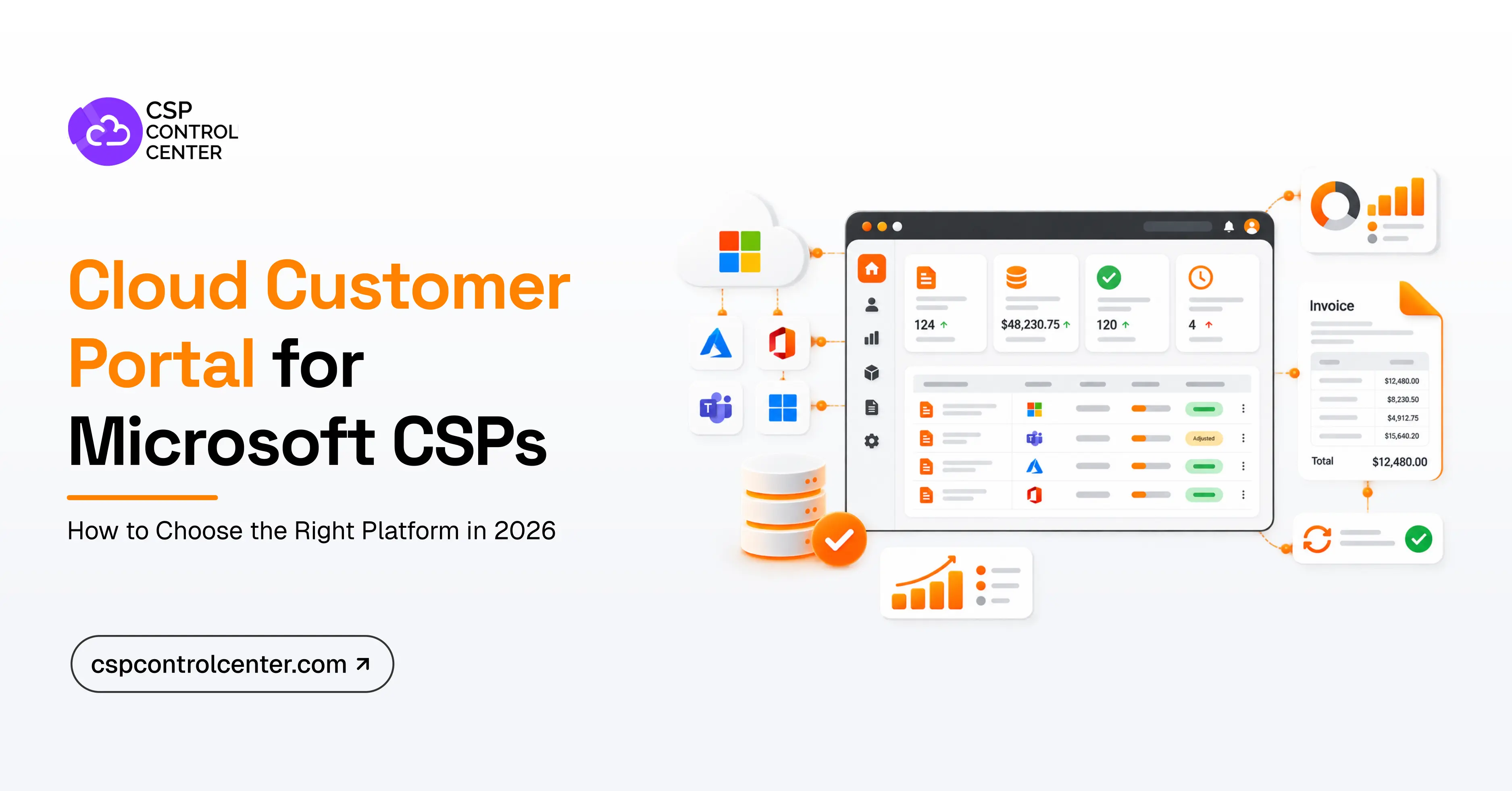
A Microsoft CSP customer portal is a self-service platform that enables end customers to purchase, manage, and monitor the cloud products and subscriptions they buy through their CSP. It connects the customer-facing experience with the underlying systems used for Microsoft transactions, billing, provisioning, payments, and support.
Depending on the platform, customers may be able to:
- Browse a curated, searchable catalog of available Microsoft and third-party SaaS products.
- Add or reduce license seat counts within Microsoft’s policy boundaries.
- View active subscriptions, term commitments, and upcoming renewal dates.
- Access itemized invoices and billing history, and pay by card or ACH.
- Track Azure consumption, daily burn rates, and spending trends.
- Manage user roles and purchasing permissions and raise support requests.
It is worth distinguishing this from Microsoft Partner Center. Partner Center is the CSP-facing environment for managing Microsoft transactions and administration. It was never designed to be your branded customer experience. A portal gives end customers a separate, controlled interface for what they buy from you, while the Microsoft transactions keep running in the background.
The Microsoft CSP landscape in 2026: Why customer portal requirements are changing
Microsoft CSP operations have become more complex, and your portal needs to keep pace. You are managing a broader mix of subscription terms, consumption-based services, AI products, and third-party offers, while customers expect more visibility and more control over routine transactions.
- More complex CSP portfolios: Your portfolio likely extends well beyond Microsoft 365 into Dynamics 365, Copilot, Azure consumption, Marketplace offers, and your own services, each with different commitment and billing models. In May 2026, Microsoft added a three-year CSP purchasing option for Microsoft 365 Copilot on orders of 100 or more licenses, another long-term commitment to manage.
- Stricter NCE rules: You can increase license quantities at any time, but reductions are typically limited to the first seven days after licenses are added, and new commerce license-based subscriptions can usually be cancelled for a prorated refund only within the first seven days of the term. Once that window closes, you are responsible for the subscription for the rest of the commitment period.
- Greater need for cost visibility: Microsoft reported that Azure and other cloud services revenue grew 40% year over year in Q3 FY2026. Customers do not want to wait until the end of the month to find out that Azure usage exceeded budget or that expensive AI licenses were not being used.
What should customers be able to do through a CSP portal?
The shift toward self-service is already visible across B2B buying. According to Gartner, 67% of B2B buyers prefer a rep-free experience, showing that customers increasingly want to research, evaluate, and complete routine purchasing activities on their own terms.
The goal is not to recreate Partner Center under your own branding. A good portal gives customers the actions and information they actually need, while pricing logic, commerce rules, provisioning, approvals, and billing stay managed behind the scenes.
A customer might simply choose to add five Microsoft 365 licenses. Behind that one click, the platform has to check permissions, validate the subscription, process the Microsoft transaction, update the quantity, calculate the billing impact, and record the change accurately.
7 things Microsoft CSPs should look for in a customer portal
Choosing a customer portal takes more than comparing feature lists. The seven areas below are the ones that matter most when deciding whether a platform fits the way your CSP business actually runs.
-
Microsoft NCE subscription management
Your CSP portal should do more than show customers which subscriptions are active. It should also reflect the rules around those subscriptions, including commitment terms, renewal dates, and eligible changes. Microsoft now supports several ways to change subscription terms and billing frequency, so look closely at how the portal handles renewals, seat reductions, upgrades, scheduled updates, and cancellation restrictions.
The portal should also stop customers from making changes that are no longer allowed or that require approval under your own commercial policies. That matters because a simple self-service action can create a real financial commitment for the CSP. If a customer tries to reduce licenses after Microsoft’s permitted window has closed, you may still be responsible for those subscription charges.
-
Customer-specific catalog and pricing controls
Different customers may need access to different products, pricing, and purchasing options. You may have negotiated pricing for specific accounts, different margins across customers, tailored service bundles, or products available only to selected customers or resellers.
Your portal should let you control which products each customer can access, what they pay, and how they can buy: customer-specific pricing, markups and discounts, product availability, multiple pricing plans, currency support, service bundles, third-party offerings, and approval requirements. That flexibility matters more as you move beyond license resale into Marketplace solutions and your own managed services.
-
Billing, invoices, and payment visibility
A portal loses much of its value if customers still contact your finance team every time they want to understand a charge or download an invoice. They should see what they were charged, which subscription it relates to, the billing period, quantity, Azure consumption where relevant, credits, invoice status, and payment history, and ideally pay in the same place.
The bigger question is whether the portal keeps billing and reconciliation accurate behind the scenes. New commerce billing can include recurring licenses, Azure consumption, Marketplace purchases, reservations, savings plans, and credits, on top of your own pricing, margins, and bundles. If your billing setup is struggling with that, our Microsoft CSP billing platform migration guide explains how to move to a new platform without disrupting billing or customer operations.
-
Azure usage and cost visibility
If Azure is an important part of your business, the portal needs to do more than manage seat-based licenses. Customers should see what they are spending before the invoice arrives, with visibility by Azure subscription, resource, resource group, entitlement, tag, and billing period. Budgets and threshold alerts are what make that useful, because they let customers catch unexpected consumption before it becomes a billing issue.
Azure behaves very differently from fixed-license products. A Microsoft 365 subscription is predictable; Azure usage can change day to day. If customers still ask your team for a spreadsheet to understand that movement, the portal is not giving them real visibility.
-
Permissions and approval workflows
Self-service should give customers more control without unrestricted access. One customer may add licenses to an existing subscription but still need approval before starting a new annual commitment. Another may want any purchase above a certain value reviewed before the order goes through.
Look for role-based access, purchase permissions, approval workflows, customer administrators, credit or license thresholds, notifications, and audit history. These controls matter even more under NCE, where some customer actions can create commitments that extend well beyond the current billing month.
-
White-label experience
Because customers are buying Microsoft cloud services from you, the portal should feel like an extension of your business, not a third-party tool. Look for your own branding, domain, logo, and visual identity, plus localization if you serve multiple markets.
White-labeling matters, but it should not be the main reason you choose a platform. A portal can look polished and still create problems if pricing updates are manual, invoices do not reflect subscription changes correctly, or Azure costs are difficult for customers to understand.
-
Integration and automation behind the portal
Your portal should not operate in isolation. When a customer places an order, that action may need to update Partner Center, trigger provisioning, feed your billing system, sync with accounting, collect payment, and update your PSA.
A long list of integration logos does not tell you much on its own. The useful question is what happens once they are connected: when a customer clicks Buy, Add Seats, Pay, or Renew, which systems update automatically, where does your team still step in, and what happens if one part fails? If the portal captures a request but someone re-enters the same information elsewhere, the process is not automated. This is also central to automating quote-to-provisioning for Microsoft CSPs, where ordering, provisioning, Partner Center, and billing need to work as one continuous workflow.
Customer portal evaluation criteria: must-have vs nice-to-have
You do not need every feature on the market on day one. The table below turns the seven areas above into criteria you can score a shortlist against, with priorities that shift as your customer base grows.
| Criterion | What to check | Under 50 customers | 50+ customers or multi-tier |
|---|---|---|---|
| Branding and white-label | Your own domain, logo, and visual identity, with no vendor branding in the customer view | Must-have | Must-have |
| Catalog control | Which Microsoft, third-party, and own-service products each customer or reseller can see and buy | Must-have | Must-have |
| Customer-specific pricing | Per-customer price lists, markups, discounts, and more than one pricing plan | Must-have | Must-have |
| NCE lifecycle management | Term and renewal visibility, eligible seat and billing-frequency changes, and actions blocked outside Microsoft’s windows | Must-have | Must-have |
| Invoice and payment visibility | Itemized invoices, billing history, credits, invoice status, and online payment | Must-have | Must-have |
| Azure usage and cost reporting | Consumption by subscription, resource, resource group, entitlement, and tag, plus budgets and alerts | Must-have if Azure is material | Must-have |
| User roles and permissions | Role-based access, customer administrators, notifications, and audit history | Must-have | Must-have |
| Purchase approvals and limits | Approval workflows, purchase caps, and credit or license thresholds | Nice-to-have | Must-have |
| Partner Center integration | Orders and subscription changes reaching Microsoft without anyone re-keying them | Must-have | Must-have |
| SSO and identity | Microsoft Entra ID sign-in or SAML/OIDC, so customers use credentials they already have | Nice-to-have | Must-have |
| Multi-currency and localization | Billing currencies, language options, and tax presentation for each market you sell in | Only if you sell across markets | Must-have in multi-market |
| API and wider integrations | PSA, accounting, CRM, and payment gateway connections, plus an API for anything not prebuilt | Nice-to-have | Must-have |
How to evaluate a CSP customer portal before you buy
Comparing portals feature by feature does not show how well a platform will work in day-to-day operations. Better evaluation looks at real customer workflows, real Microsoft scenarios, and what happens after the customer completes an action.
Start with the customer actions creating the most work today
Rather than starting with vendor feature lists, look at the work your team already does. Review tickets, emails, and spreadsheets for the requests that keep coming back: adding licenses, requesting quotes, checking renewal dates, downloading invoices, pulling Azure consumption reports, making payments, explaining charges. Those requests show where self-service makes the biggest difference, and they give you real scenarios to test providers against.
Demo real Microsoft CSP scenarios
Ask the provider to walk through the transactions your team handles every day, such as:
- Buy a new NCE subscription
- Add seats during the term
- Attempt to reduce seats
- Change renewal settings
- View Azure usage
- Apply customer-specific pricing
- Generate an invoice after a subscription change
- Process a customer payment
- Require approval before an order proceeds
For each one, trace what happens beyond the portal: what changes in Partner Center, how the service is provisioned, when billing updates, what appears on the invoice, and what happens if a step fails. The real test is not whether the platform has subscription management, billing, and reporting, but whether they work together the way your business needs.
Roll it out in stages
Most rollouts run into trouble not because the platform was wrong, but because everything is switched on for every customer at once. A staged sequence gives you time to correct pricing, permissions, and invoice presentation while the audience is still small.
- Pilot with a small cohort. Pick five to ten customers who raise the most routine requests and who will tell you plainly what is confusing.
- Start with visibility only. Read access to invoices, subscriptions, and Azure usage carries no commercial risk and removes a whole category of ticket immediately.
- Turn on self-purchase with limits. Enable buying for the pilot cohort with approval thresholds, seat caps, and notifications already configured.
- Open the full catalog. Once pricing, approvals, and billing behave predictably, extend the catalog to the wider base.
Build or buy?
Some CSPs consider building on the Partner Center APIs instead, which does give complete control over the experience. The cost is rarely the initial build, though. It is keeping pace with Microsoft. NCE terms, catalogs, promotions, and APIs change continuously, and every change has to reach your pricing logic, your billing output, and the screens customers see.
Building makes sense when your requirements are genuinely unusual and you have engineering capacity to commit indefinitely. For most CSPs, the better question is whether a platform is configurable enough to fit how you already price, approve, and bill.
Related reading
- The Rise of Self-Service Portals: Empowering Cloud Customers While Reducing Support Burden
- Mastering Microsoft 365 Self-Serve: A Guide for Microsoft CSPs to Boost Efficiency and Elevate Customer Experience
- Essential Integrations for Microsoft CSPs: Automating End-to-End Operations Seamlessly
- Navigating the Complexities of Microsoft CSP Billing: Addressing the Challenges Faced by PSA Solutions
Choose a portal that reduces work on both sides
A customer portal works well when it gives customers more control without adding reconciliation, support, or administrative work for your team. The key is to look past the customer-facing experience and follow each action through subscription management, pricing, provisioning, Azure usage, billing, payments, and Partner Center.
CSP Control Center gives Microsoft CSPs a white-labelled self-service marketplace where customers and resellers can purchase, provision, manage, and pay for cloud services, while you keep control of pricing, markups, billing, approvals, Azure usage, and reporting, with integrations for ConnectWise Manage, Datto Autotask, QuickBooks, and Xero. Book a demo to see how it can help you automate more of the customer lifecycle while keeping pricing, billing, and operations under control.
FAQs
What is a Microsoft CSP customer portal?
A Microsoft CSP customer portal is a self-service platform where customers can manage the cloud products and services they buy from you. Depending on the platform and the permissions you set, they can purchase subscriptions, change license quantities, view renewals, monitor Azure usage, access invoices, make payments, and manage their accounts. You still control the underlying pricing, product availability, approvals, billing rules, and Microsoft transactions.
Can Microsoft CSP customers manage their own licenses?
Yes, as long as the portal supports self-service subscription management and the change is allowed under Microsoft’s rules. Customers can typically add licenses at any time. Reductions are more restricted: under NCE, seat counts can generally only be decreased within seven days of the order, a renewal, or the point at which licenses were added. Outside that window the count cannot be reduced, and on annual or multi-year commitments the committed quantity stands for the rest of the term.
Is a customer portal the same as a CSP billing platform?
They serve different roles. The portal lets customers manage subscriptions, usage, invoices, and payments, while the billing platform handles pricing, reconciliation, invoicing, and financial processes. They work best when connected, so customer actions flow directly into billing without creating extra manual work.
Can customers see Azure usage in real time?
That depends on the platform. Microsoft makes Azure usage data available to partners on a rolling basis rather than instantly, so most portals show consumption updated daily rather than to the minute. For customer purposes, daily figures with budgets and alerts are usually enough to catch unexpected consumption before it reaches an invoice.
Do I still need a customer portal if I already have a PSA?
Usually, yes. A PSA is built for your team covering contracts, ticketing, service delivery. It is not a customer-facing storefront, and it does not transact with Microsoft. The two are complementary: the portal handles the customer experience and the Microsoft transaction, while the PSA runs service delivery, with billing data syncing between them.